2025-1019-1537 UE GAS top down Aura - Create a multiplayer RPG with Unreal Engine Gameplay Ability System (GAS)
Create a multiplayer RPG with Unreal Engine's Gameplay Ability System (GAS)!
section 2 project creation
5 the base character class
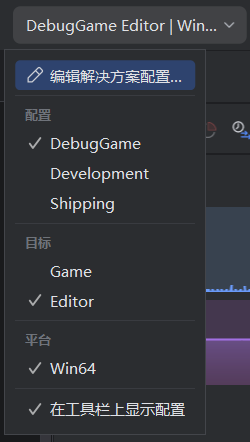
- 下载调试集
- rider
- debug game
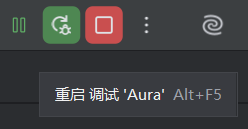
- 以调试运行
- debug game
- VS
- debuggame editor
2-6 Player and Enemy Characters
- 调整文件位置
- 创建新的继承
AuraCharaterBase的 c++ 文件AuraCharacterAuraEnemy
2-7. Character Blueprint Setup
-
create weapon component in
base -
setup weapon attachment
-
make weapon no collision
-
add the socket under hand_l
- use
staffto preview
- use
-
do the same for
goblin_spear
2-8 Animation Blueprints
-
auro
- create
ABP_Aura - state machine
- main states
- override
initialize animation 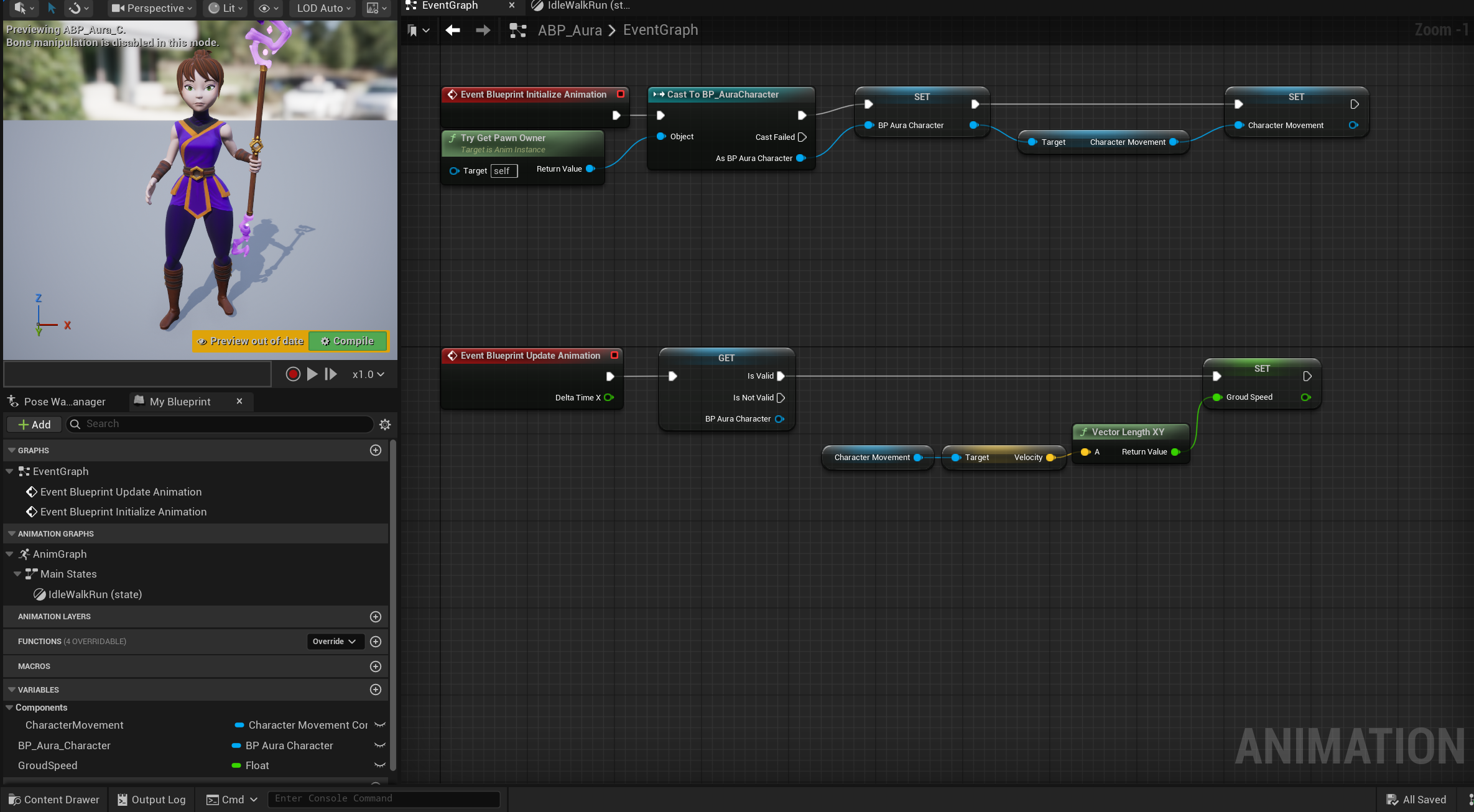
- override
- slot
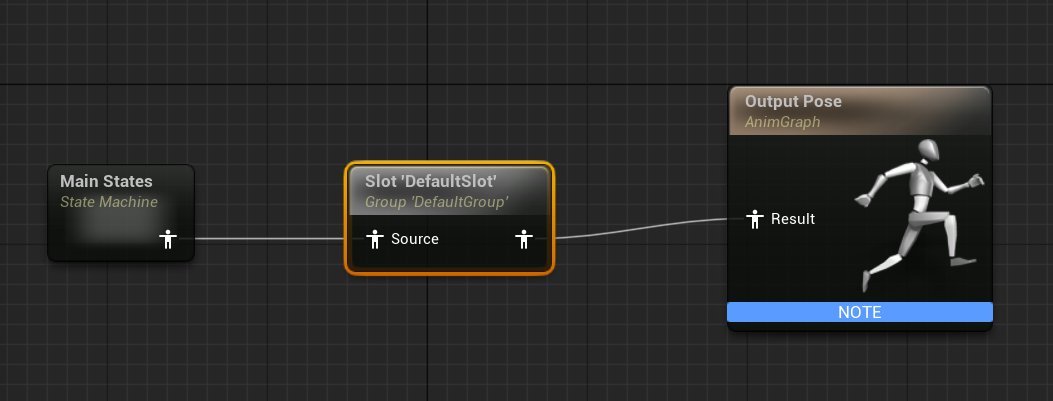
- main states
- set the corresponding abp
- create
-
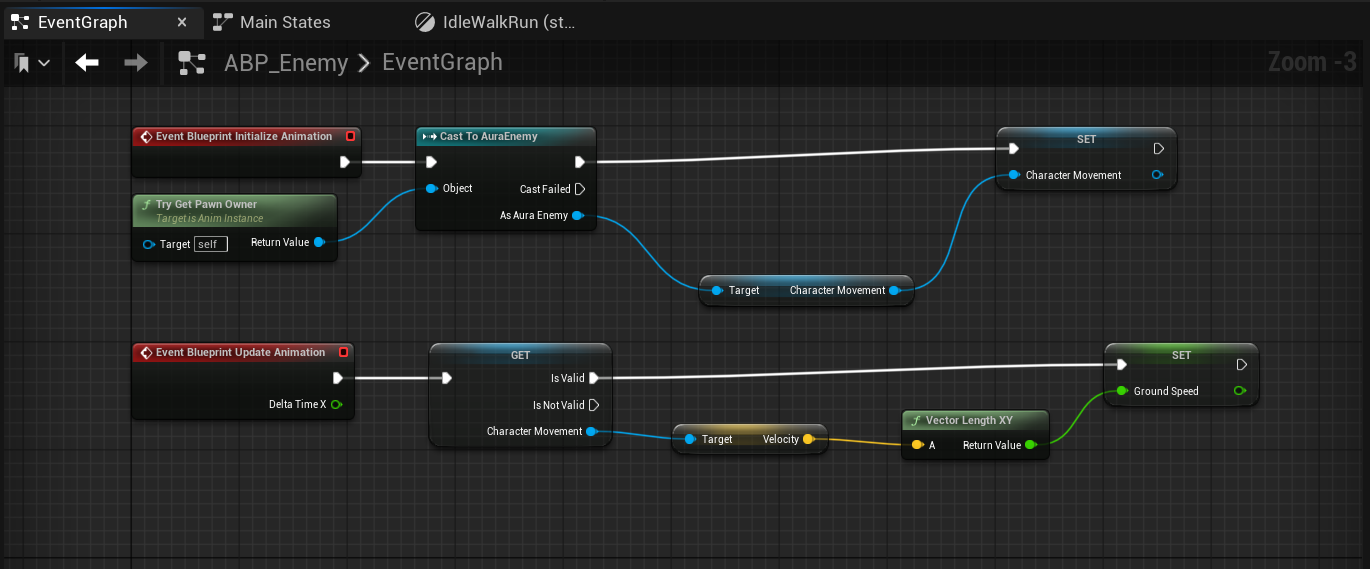
enemy
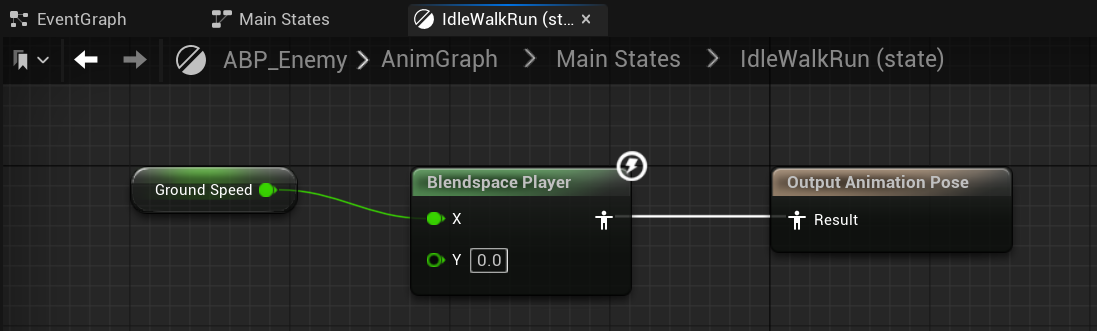
- crate animation blueprints template to share between different enemies
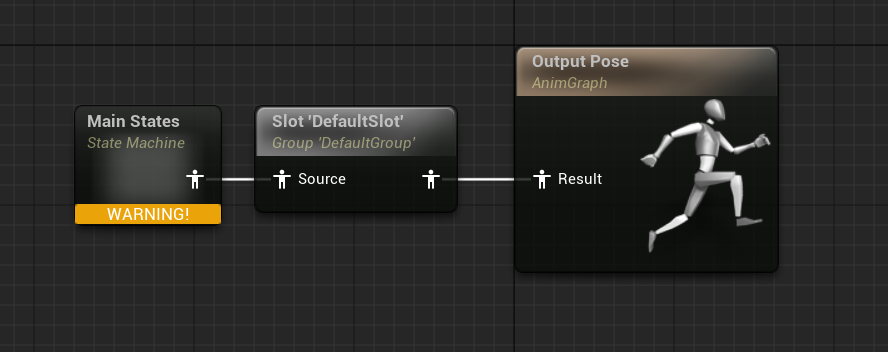
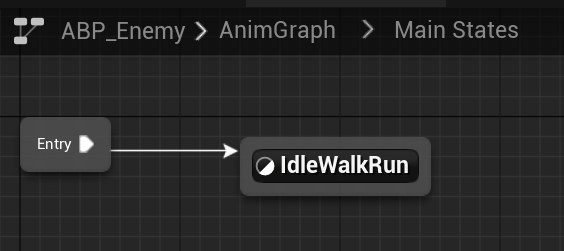
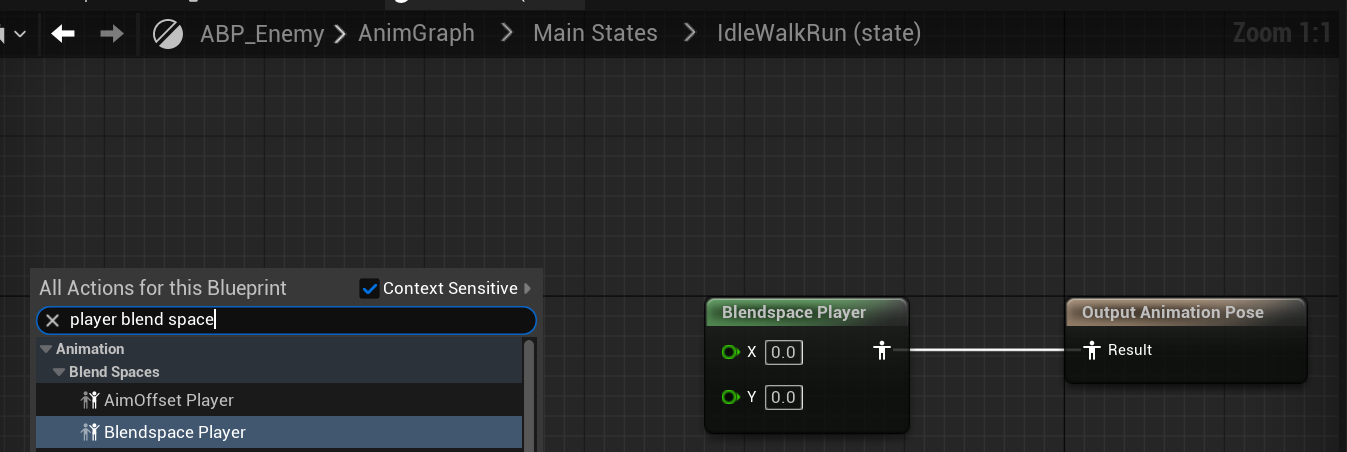
- override
initialize animation
-
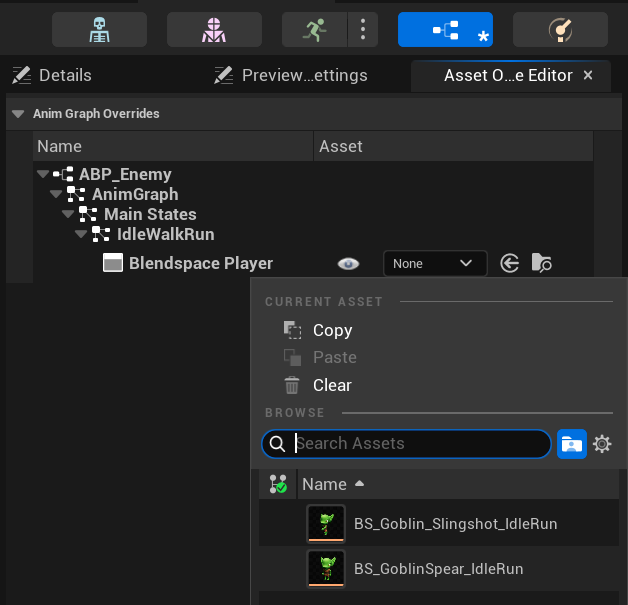
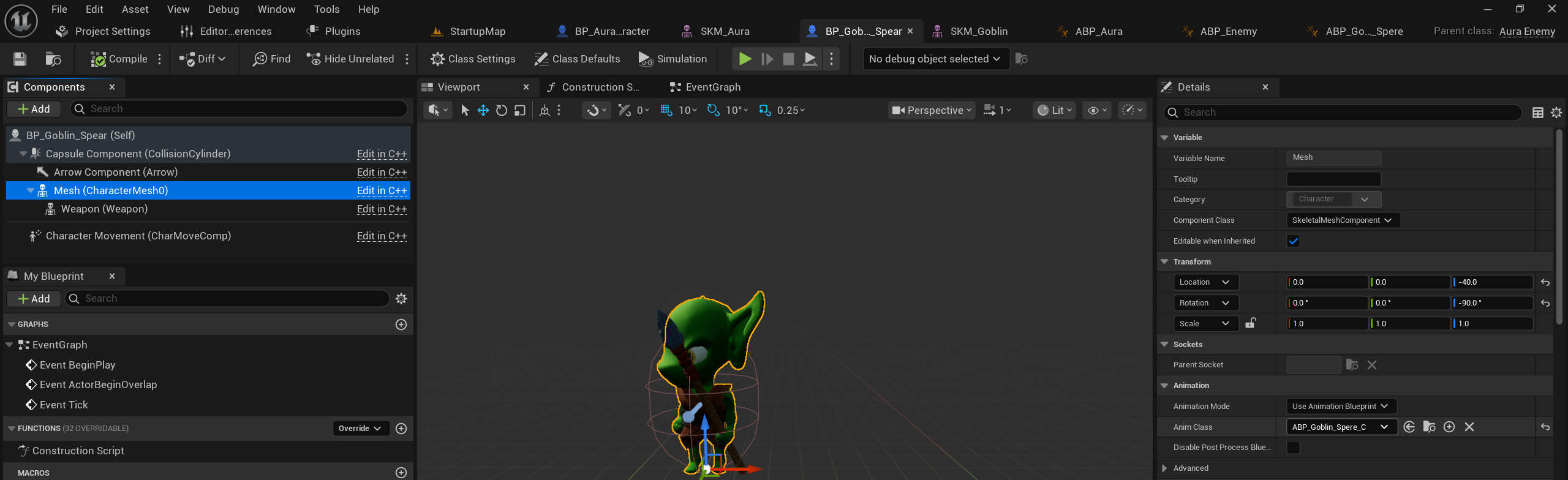
abp for goblin spere
- parent class
abp_enemy - asset override
- assign abp
- parent class
-
do the same for a new enemy Goblin_Slingshot
2-9 Enhanced Input
- create folder
Input,InputActionsIA_Move- Axis2D Vector 2D
- AD - x
- WS - Y
- Axis2D Vector 2D
IMC_AuroContext- ad
- A - Modifier - negate - X
- ws
- modifier
- S - Modifier - negate - Y
- swizzle input axis values
- YXZ
- modifier
- ad
- create
AuraPlayerController
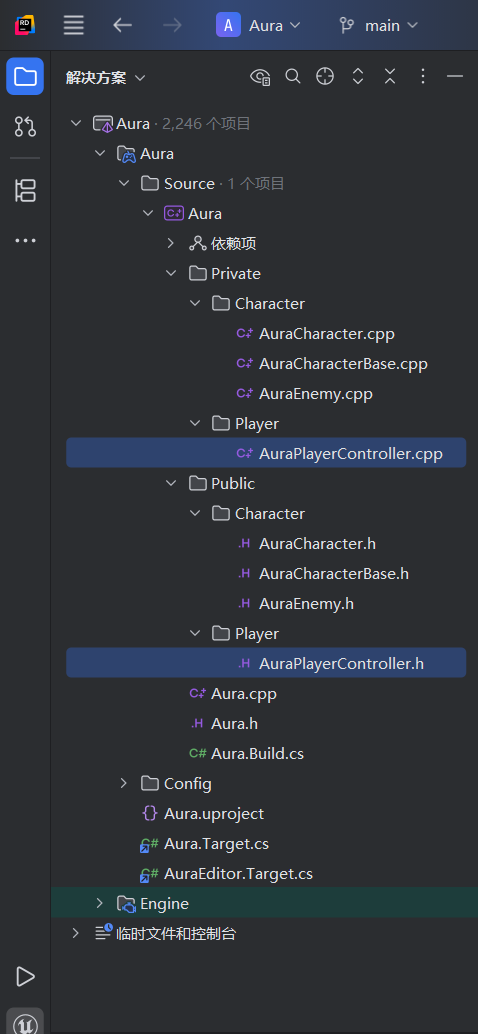
2-10 Aura Player Controller
-
创建 public 同名构造函数 以及 protected 重载函数 BeginPlay
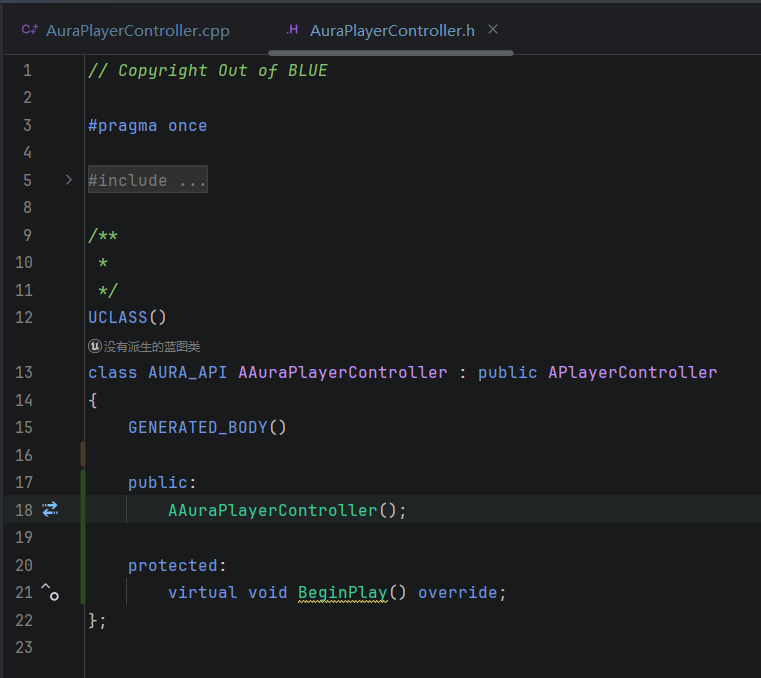
- private - inputmapping context (需要提前声明)
-
cpp
- replicates 为 true
- 重载 beginplay
- check inputcontex is valid
- assign subsystem
- 设置 mouse 行为和 inputmode
-
需要在
Aura.Build.cs里面添加对EnhancedInputmodule 的引用 -
需要在 h 文件中添加对
EnhancedSubsystem的引用
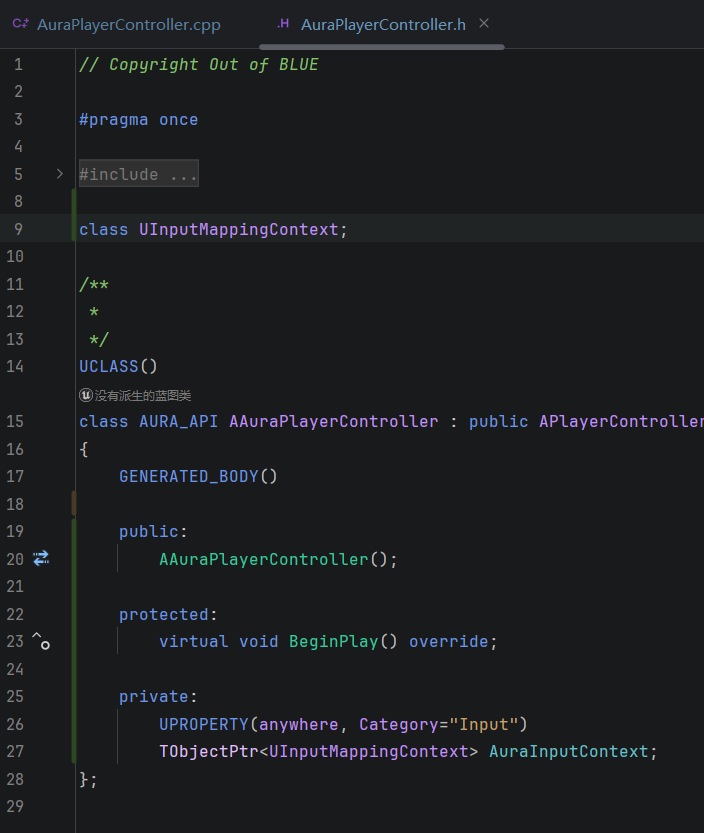
#include "EnhancedInputSubsystems.h"
2-11 Movement Input
- override
SetInputComponent- cast check
- add move action and move function
- bind moveaction
- implement movement logic
- create player controller blueprint
2-12 game mode
- create
AuraGameModeBasec++ class based on the game mode base, put underPublic/Gamefolder - create
AuraGameModewith the base class- set up player controller calss
- default pawn class
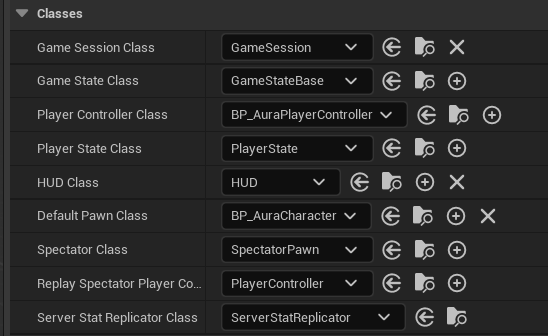
- setup gamemode override
- add player start
- add springarm and camera under capsule
- springarm - distance 750, y -45, camera lag
- camera - use pawn control rotation = false
- cpp
- character
- h
- 创建构造函数
- cpp
- rotate to movement direction
- constraint to plane
- limit rotaion
- h
- character
- editor
- springarm
- uncheck inheirt pitch yaw roll
- fix head jerk
- add another state of idle, make it loop
- change idlemoverun -> running
- transition condition -> ShouldMove
- springarm
2-13 Enemy Interface
-
highlight enemey when hover
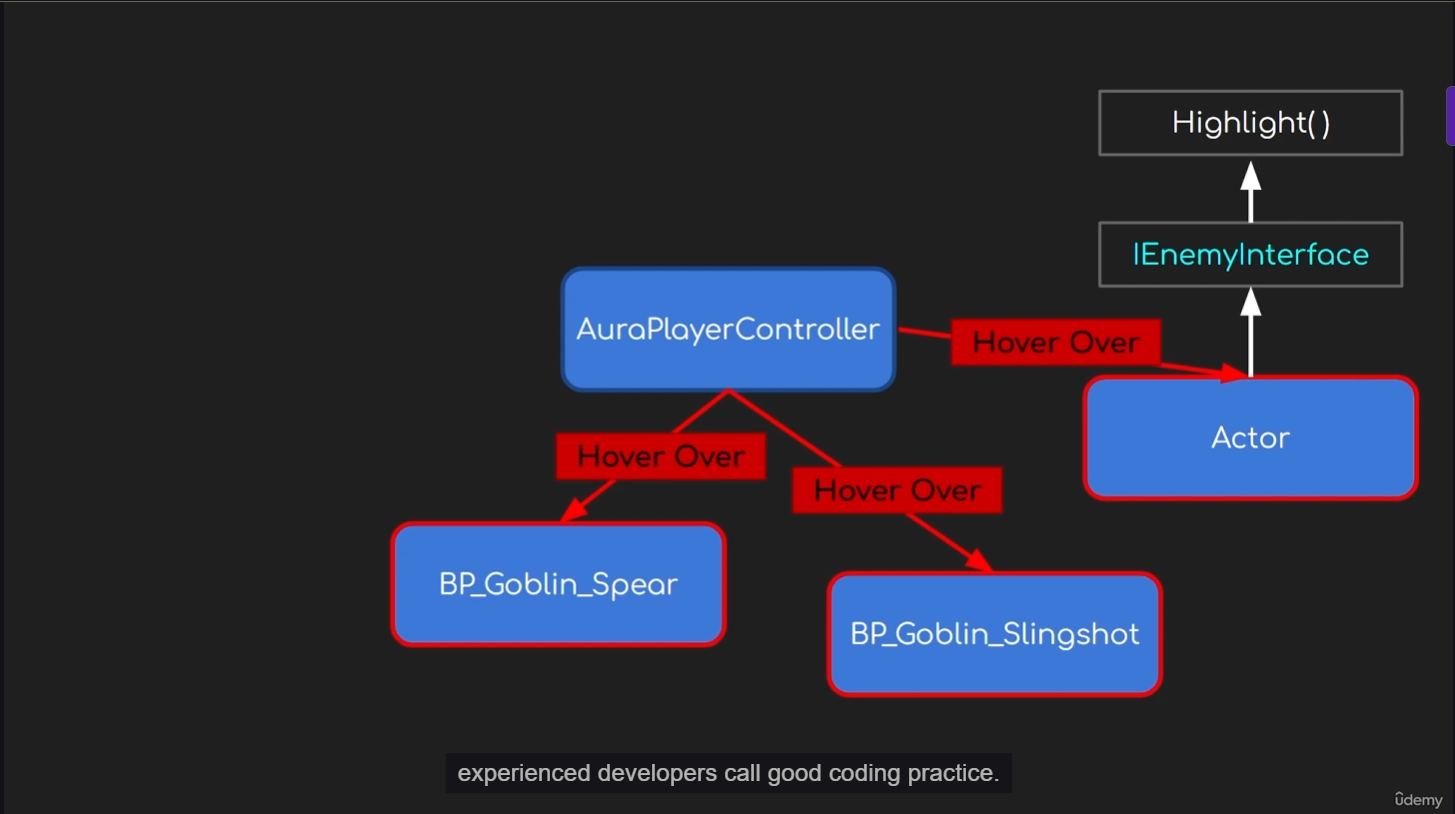
-
create cpp class based on unreal interface `EnemyInterface
-
create pure virtual function
HighlightActorandUnHighlightActorin the h. -
need to override the pure virtual funciton from the auraenemy class
- override in the h.
- define in the cpp
2-14 Highlight Enemies
- execute every frame
- override PlayerTick in AuraPlayerController
- create private function
CursorTrace- save hit result and cast to ienemyinterface
- define pointers with wrapper `TScriptInterace<>
- handle the highlight and unhighlight logic
- when hovering
- and make the bool value correct
- visualize the highlight effects
- draw debug sphere when highlighted
- make enemy is blocking the trace
- mesh - collision preset - visibility (block)
2-15 Post Process Highlight
- create enmey base bp, based on aura enemy class
- make spere and slingshot inheirt
- create post process volume in the level
- make it infinite
- add pp material
- set the project setting -
custom depth-stencil pass= Enabled with Stencil
- set render custom depth
- set render custom depth = true when highlighted
- set correct stencil value, define this as a const
- reset the collision preset of sphere to default
- set the collision preset for the enemybase class
- create constructor in h.
- make sure the visibility channel is blocked
- set the collision preset for the enemybase class
3
16 The Gameplay Ability System
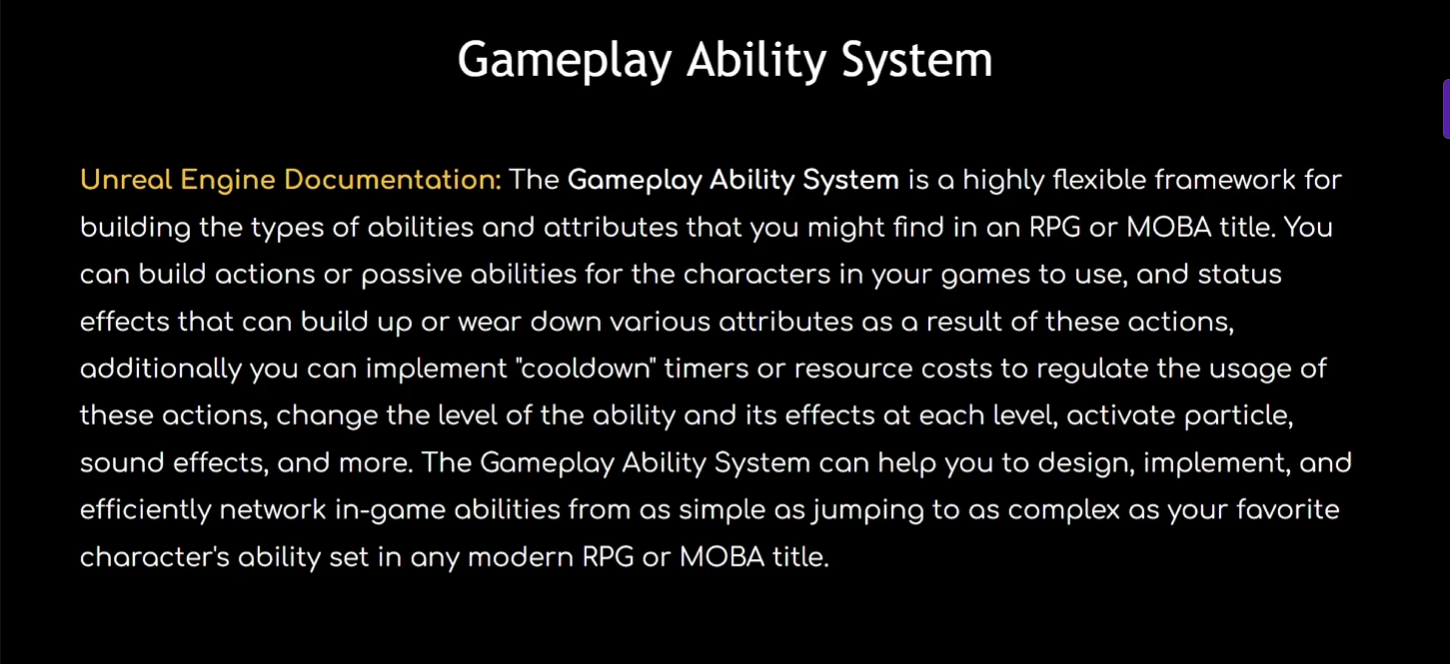
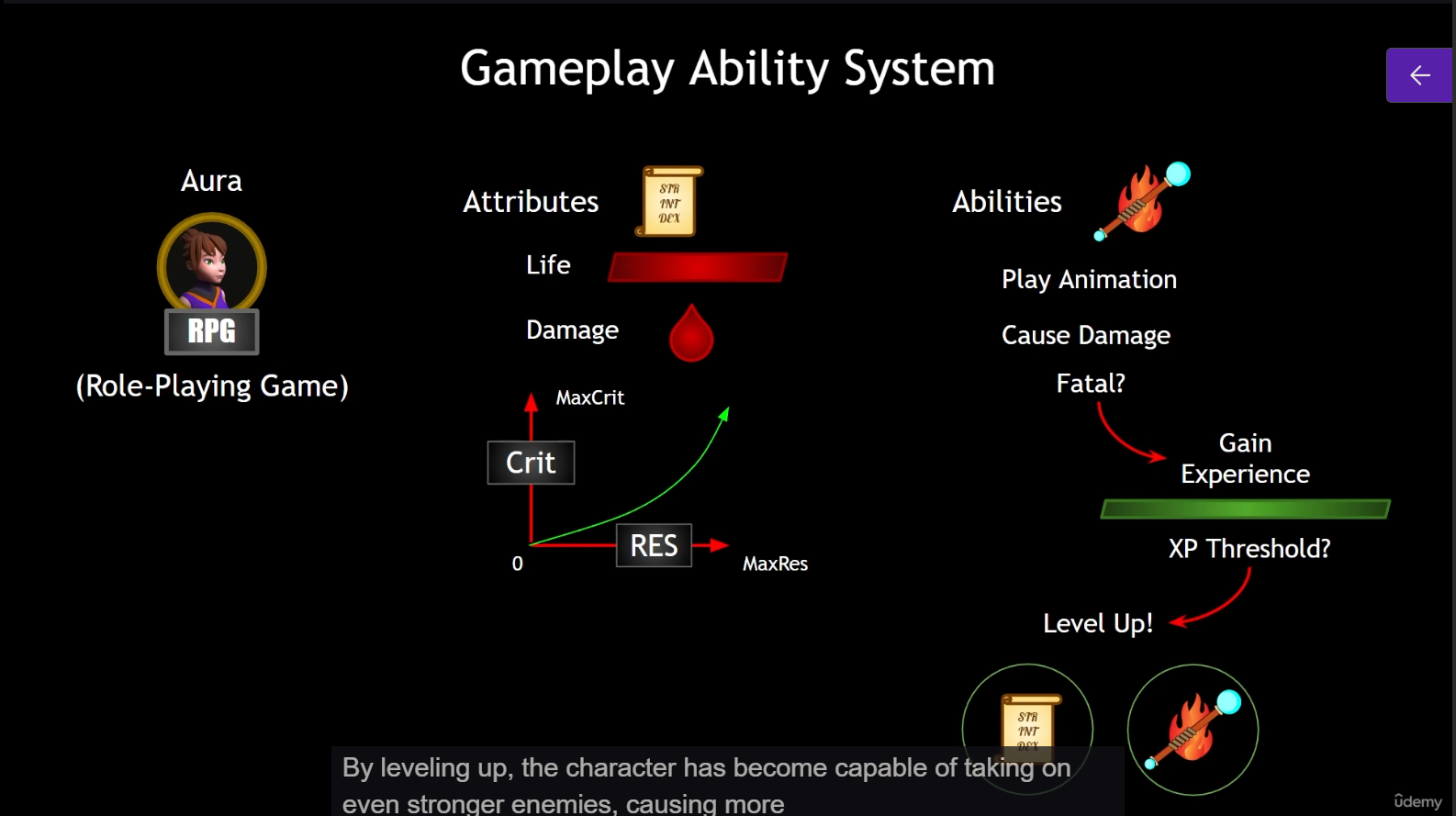
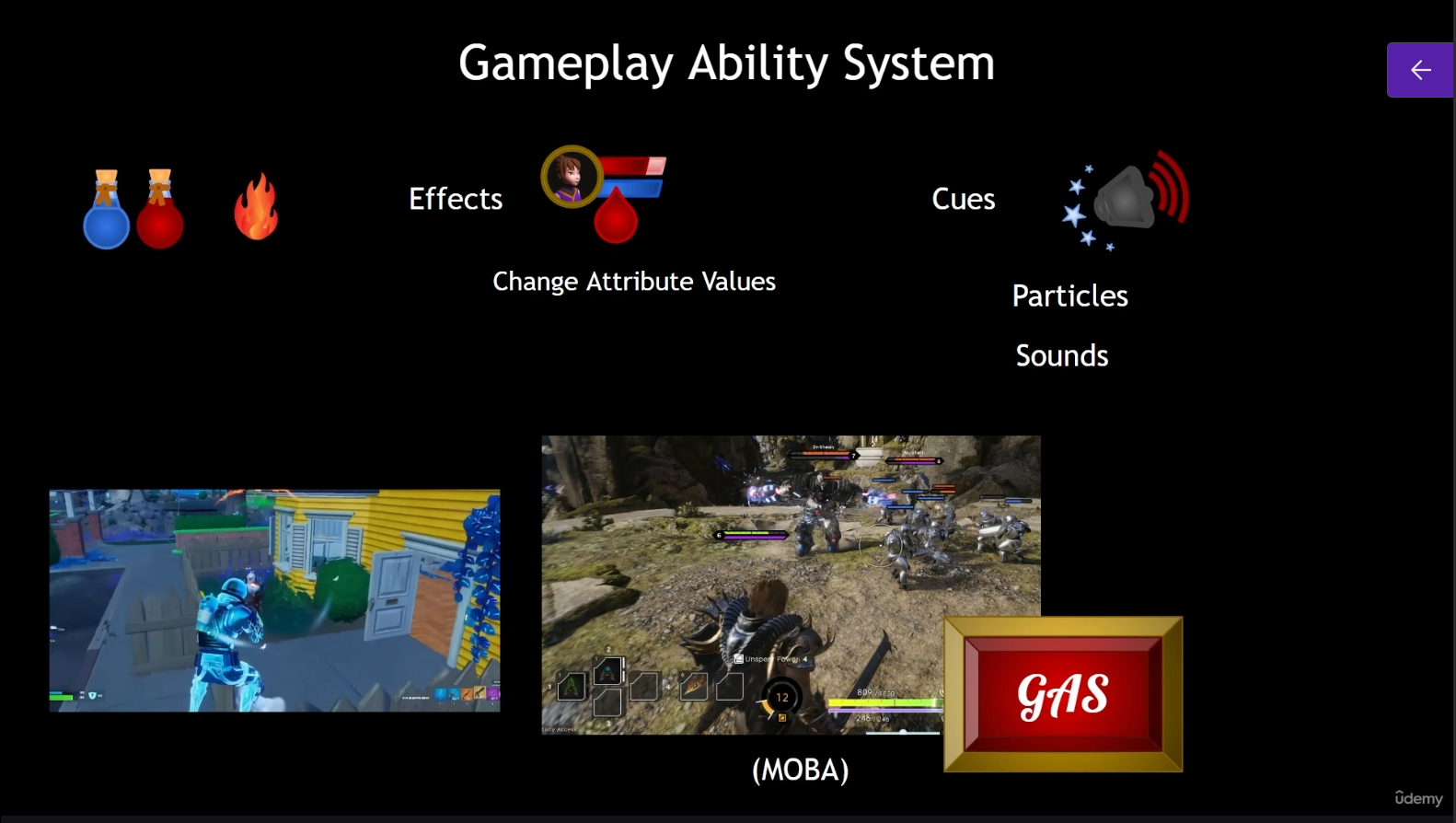
17 - The Main Parts of GAS
- ability system component - to be added to actor
- attribute set -
- gameplay ability -
- ability task
- asynchro execute code
- gameplay effect
- change attributes
- gameplay cues
- cosmetic effects
- gameplay tag
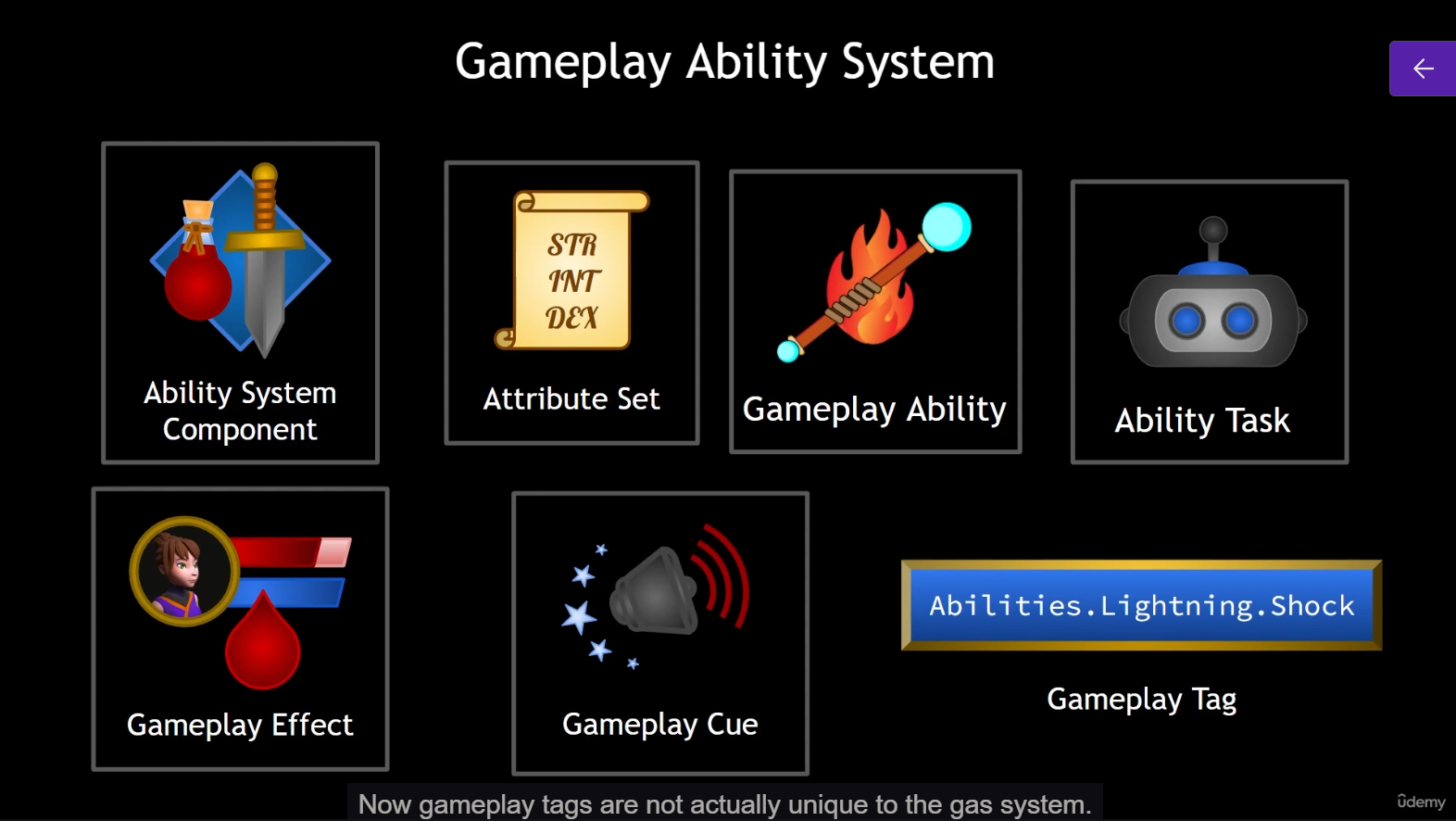
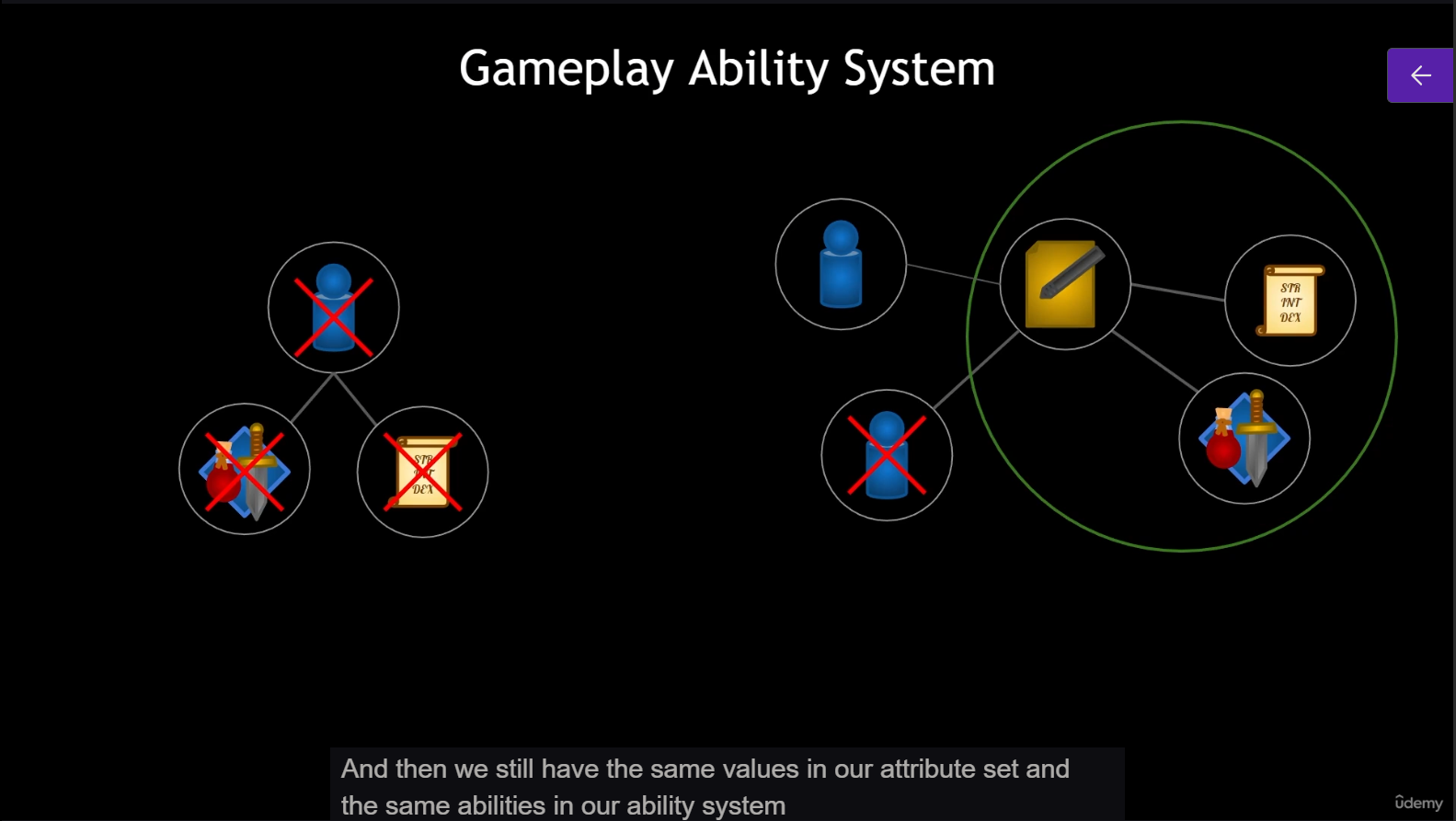
- add ability system and attribute set to pawn vs. player state
- pawn
- live together with the pawn
- if pawn die, attribute lost
- player state
- persist across life
- make pawn simple
- pawn
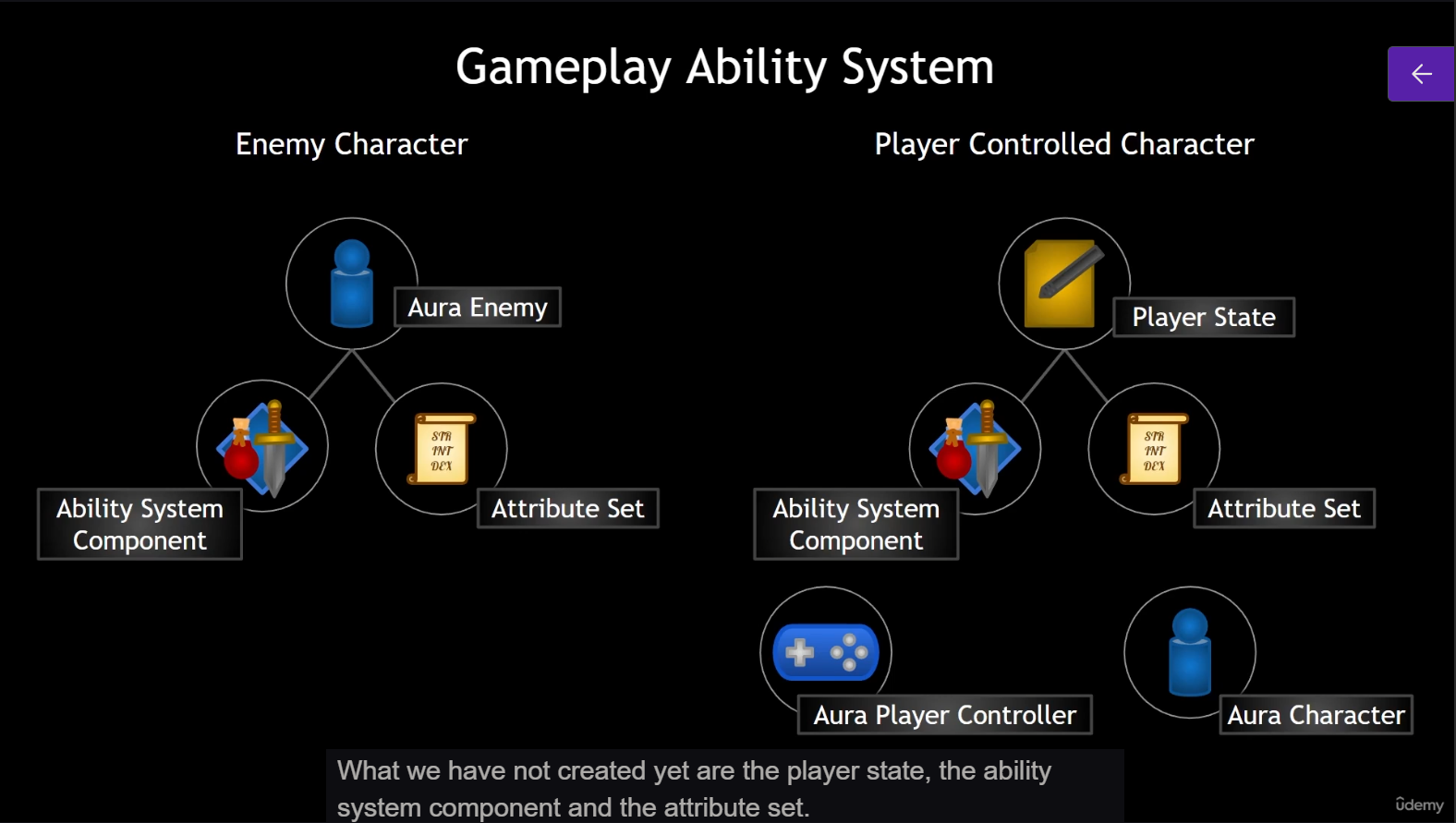
18 - the player state
- new cpp
AuraPlayerState - add constructor
- set netupdate frequency = 100. f
- create blueprint based on the class
BP_AuraPlayerState - set the player state in the game mode
19 - Ability System Component and Attribute Set
- enable the gameplay ability plugin
- create new cpp class
AuraAbilitySystemComponent,AuraAttributeSet - Aura. Build. cs to add module
- GameplayAbilities
- GameplayTags
- GameplayTasks
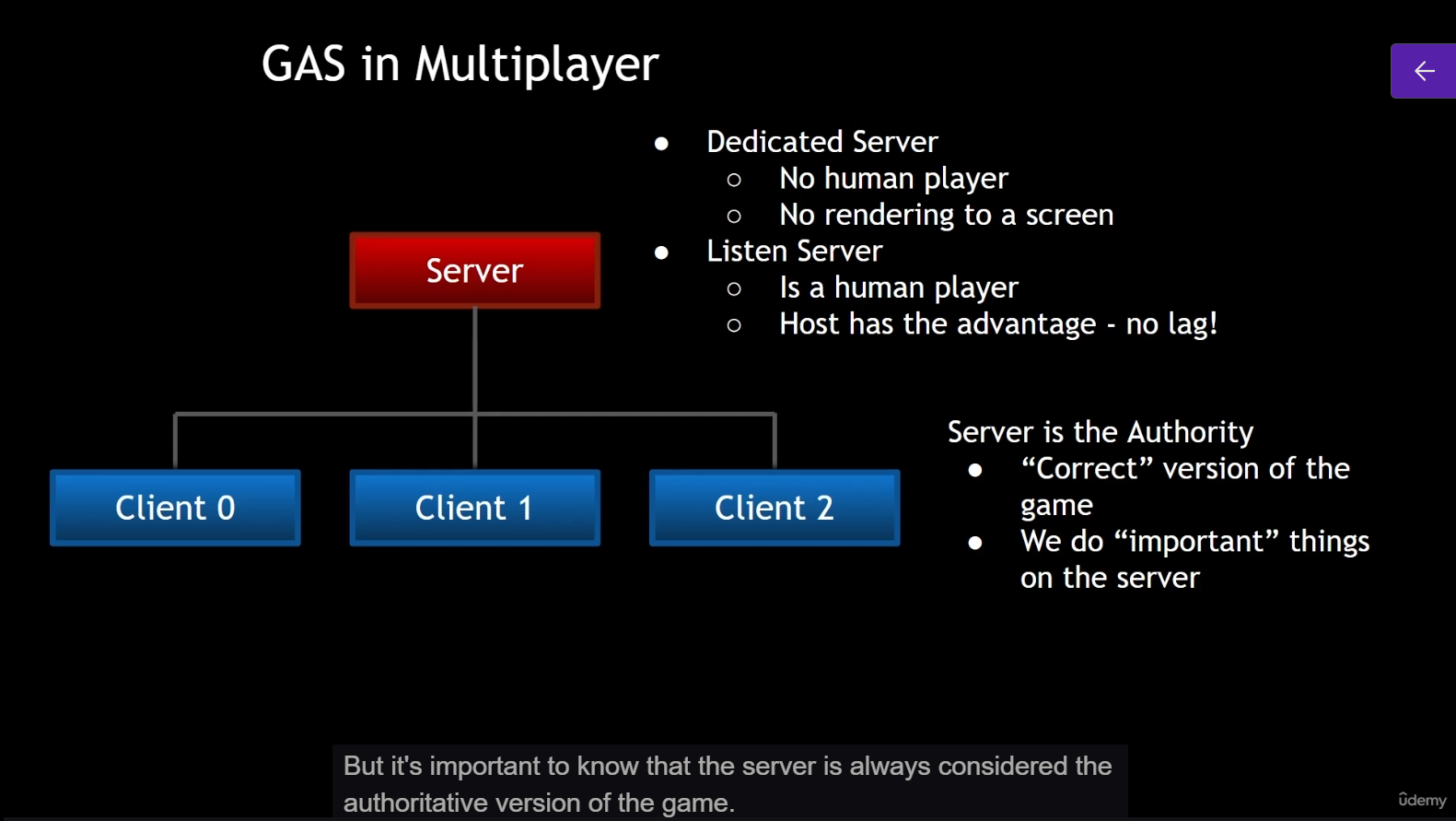
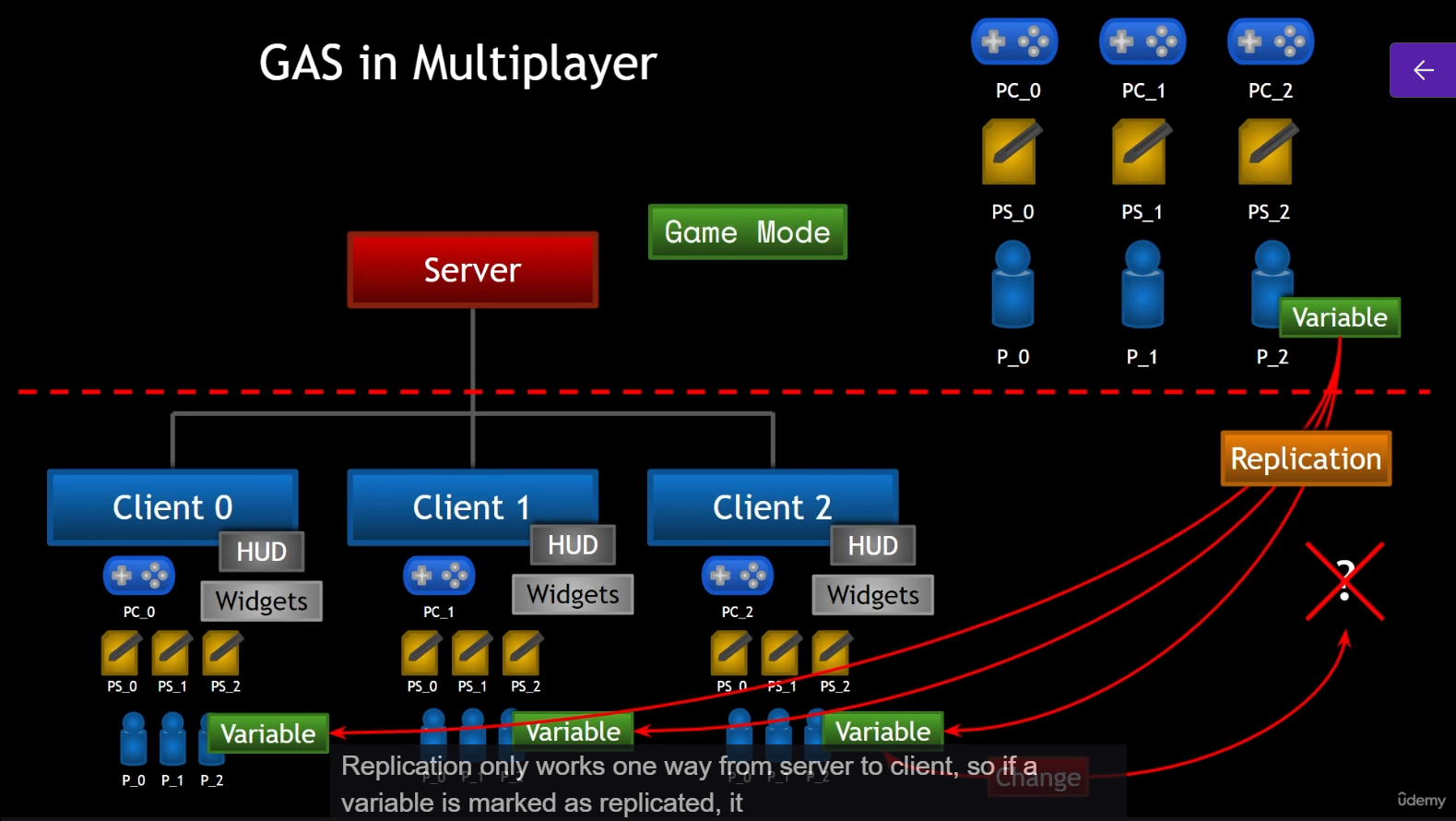
20 - GAS in Multiplayer
-
server
- game mode
- all
- player state
- pawn
-
client
- own
- player controller
- HUD
- widgets
- all
- player state
- pawn
- own
-
net update frequency
- server -> client update = one-way replication
21 Constructing the ASC and AS
- create pointer inside
AuraCharaterBase, and forward declare- ASC
- attributeset
- construct
- AuraEnemy
- and make it replicated
- AuraEnemy
- do the same for AuraPlayerState
- AuraPlayerState
-
inherit `IAbilitySystemInterface
- in AuraCharaterBase
- remove Gameplayability reference in private range
- check if an actor have the AbilitySystem and could get it easily
- need to override
- `virtual UAbilitySystemComponent* GetAbilitySystemComponent() const = 0;
-
create a GetAttributeSet in AuraCharaterBase .h
-
do the same for the AuraPlayerState
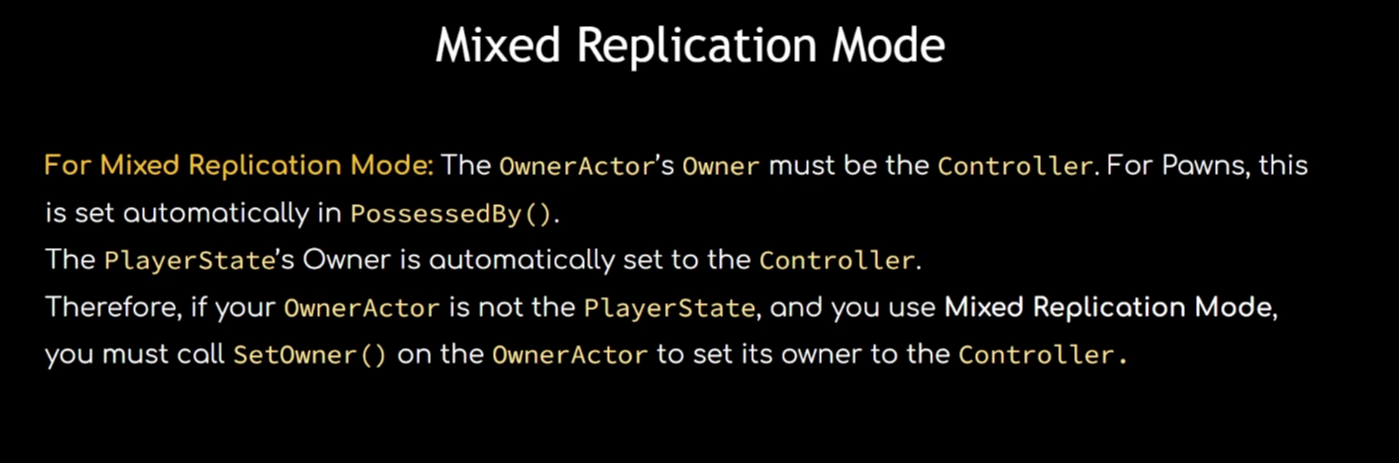
22 Replication Mode
- setreplication mode for AbilitySystemComponent
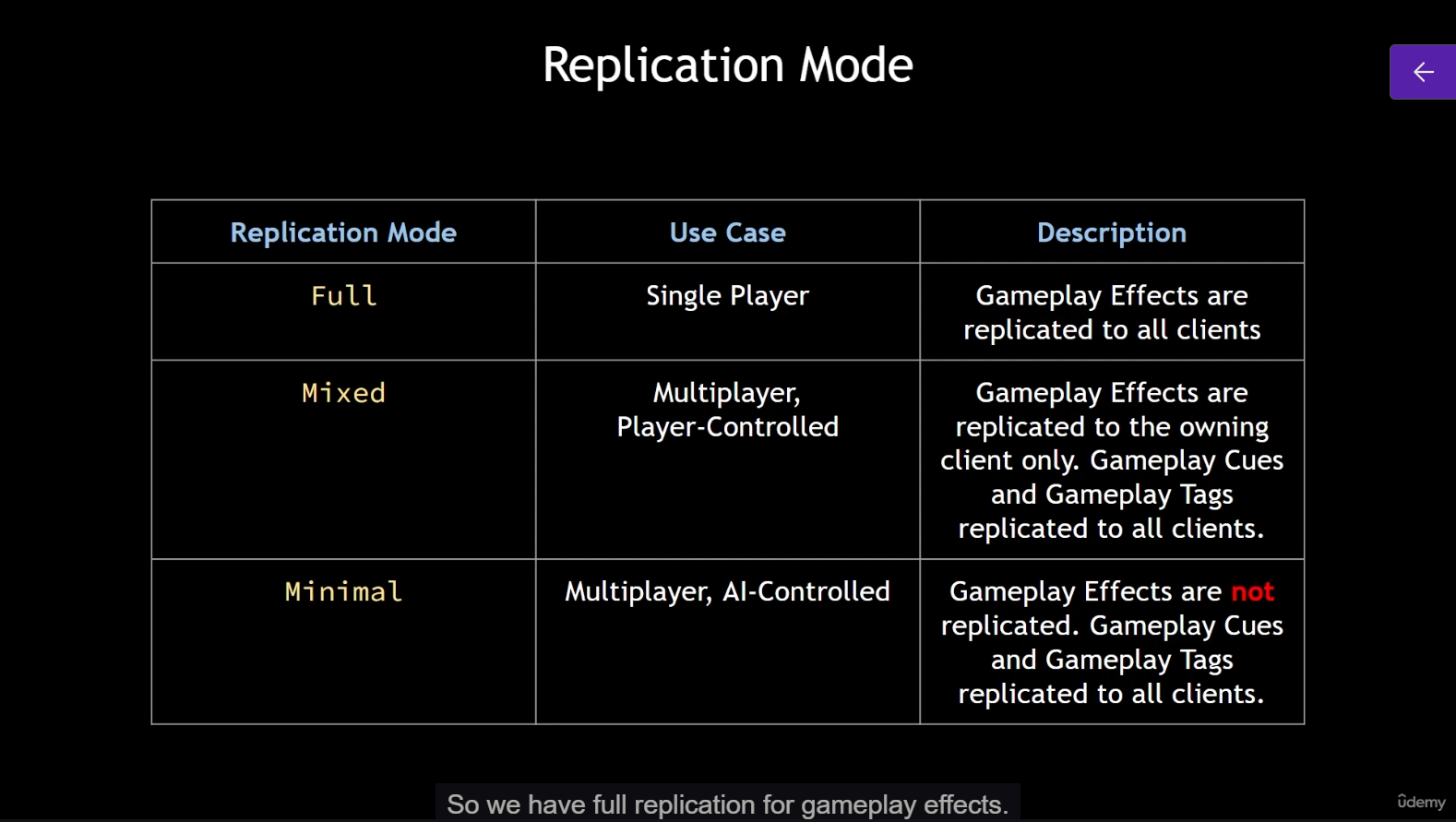
- replication mode
- depends on gameplay effects
- full
- to all clients
- mixed
- replicated to the owning client
- minimal
- not replicated
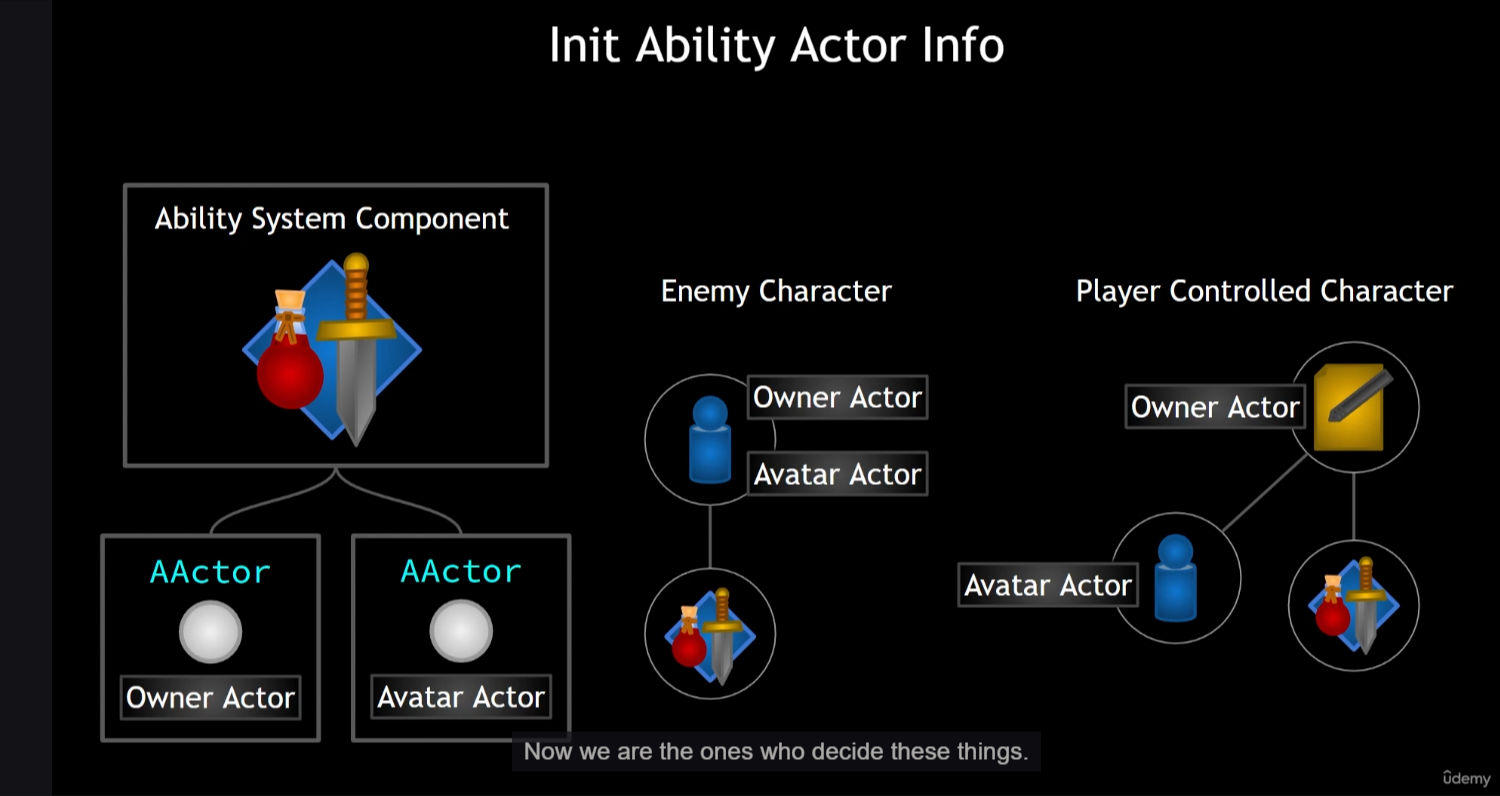
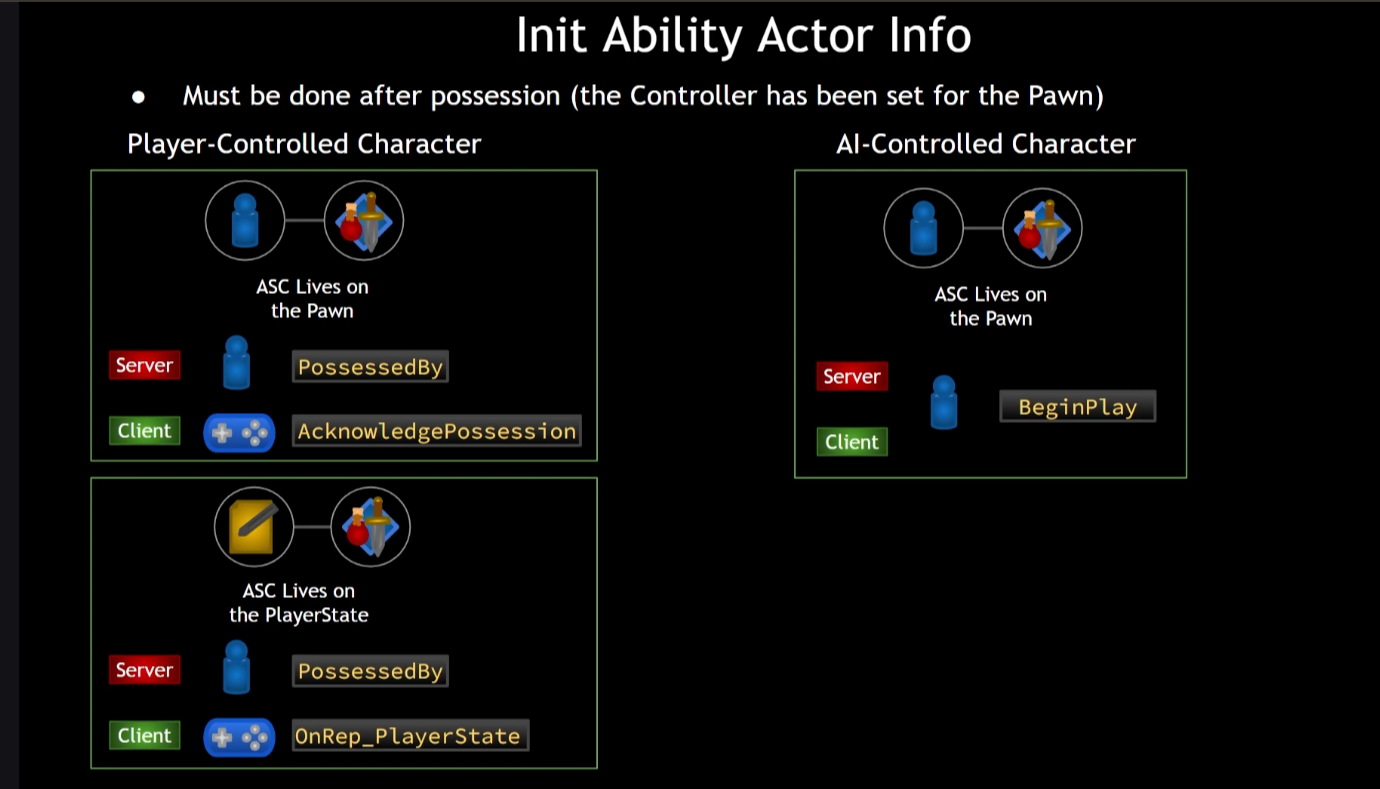
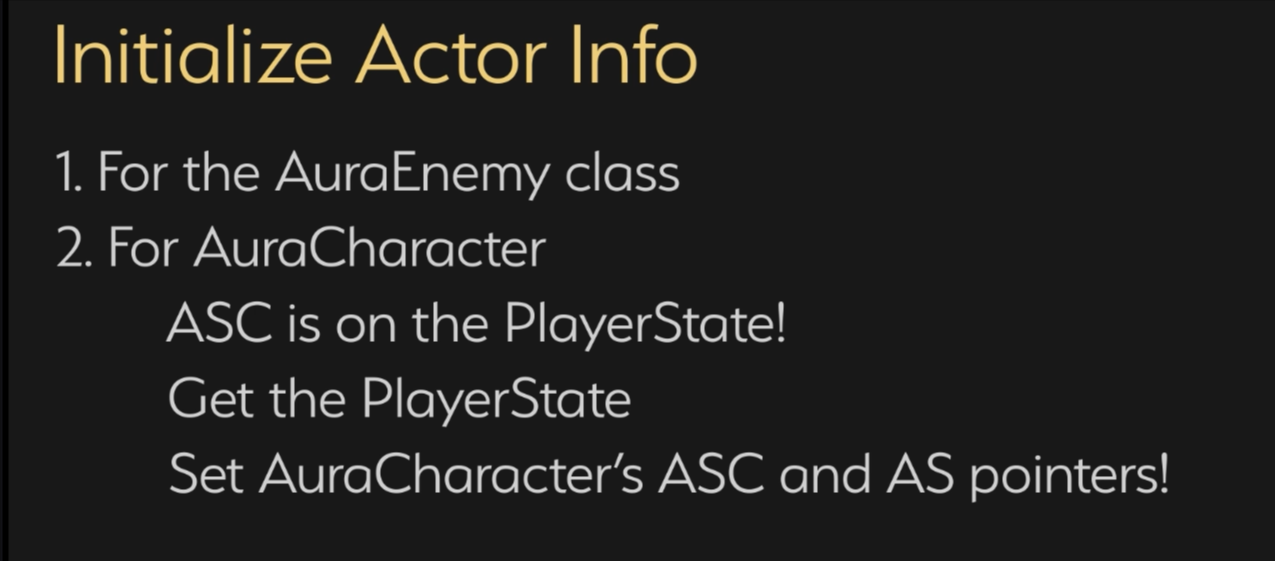
23 - Init Ability Actor Info
-
AbilitySystemComponent and attributeset is implemented for
- AuraEnemyBase
- AuraPlayerState
-
but AuraCharaterBase do not have a valid construction
-
owner of the AbilitySystemComponent and attributeset are different for player character
-
can only init ability actor info after possesion (valid)
24 - Attribute
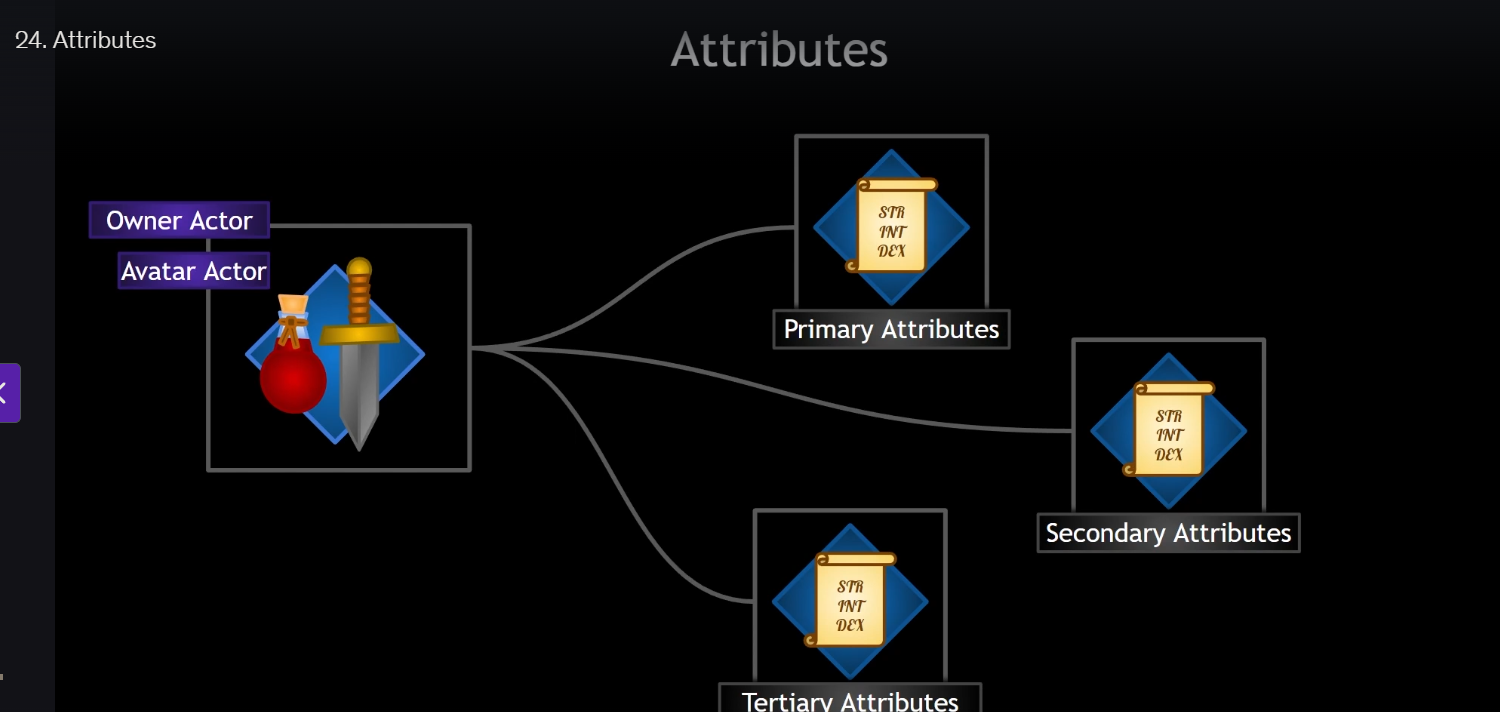
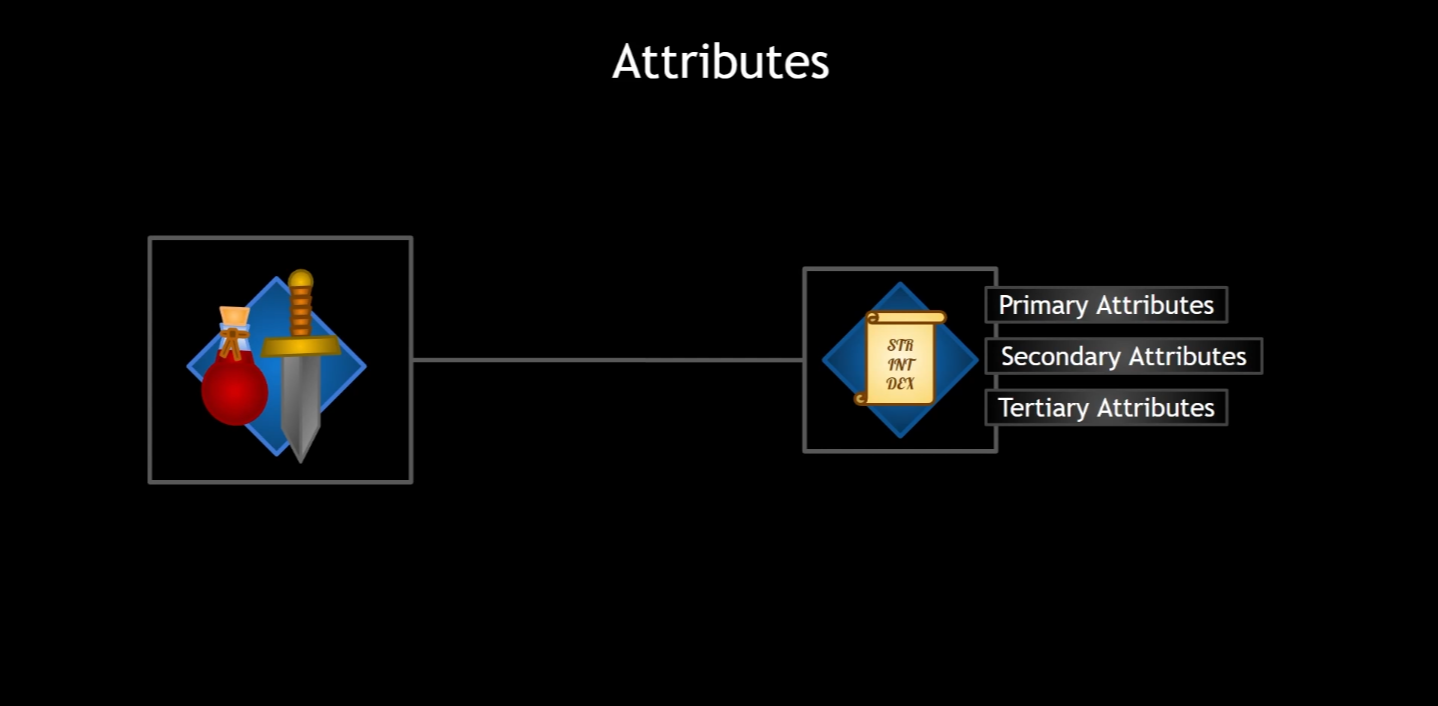
- attributeset will be bound to AbilitySystemComponent automatically
- but if there are different attributeset, they need to be different classes
- we could also use just 1 attributeset
- use gameplay effect to change attribute
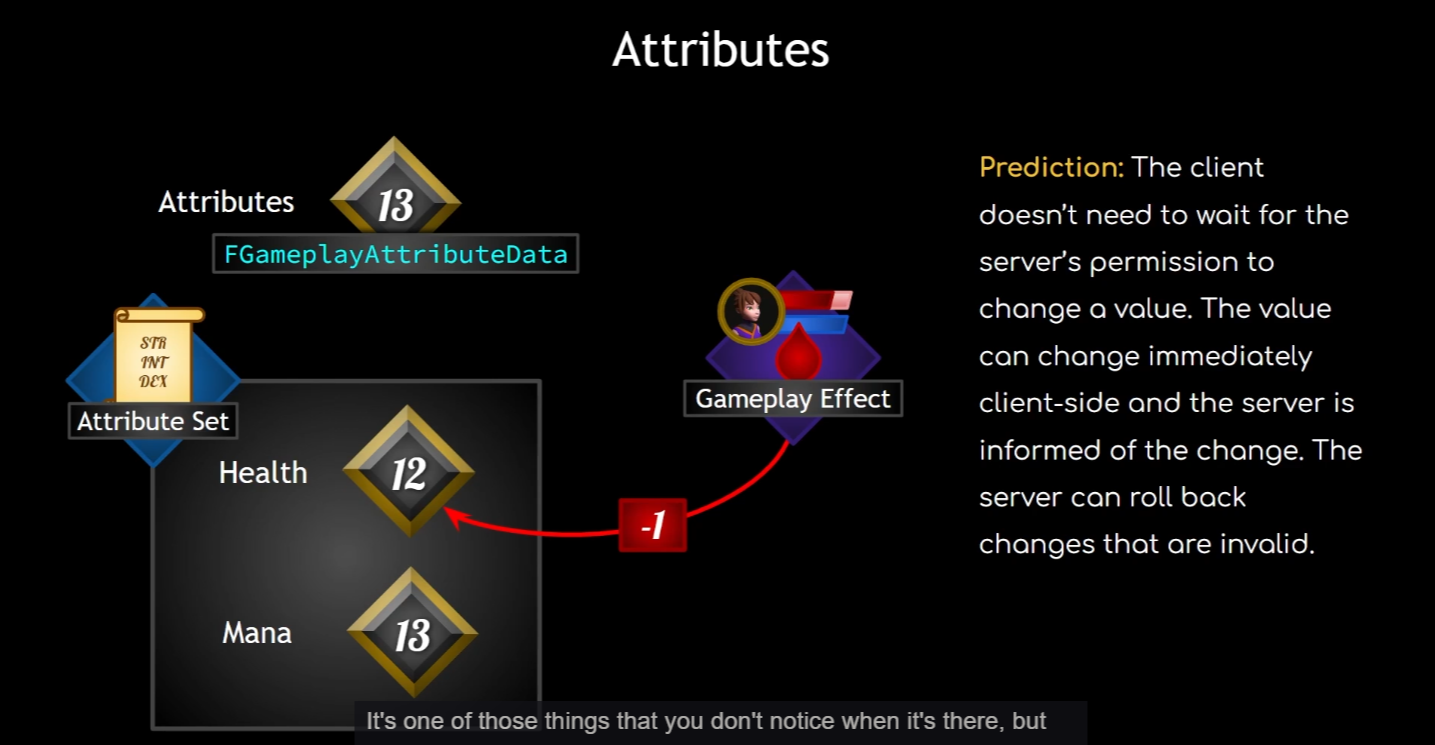
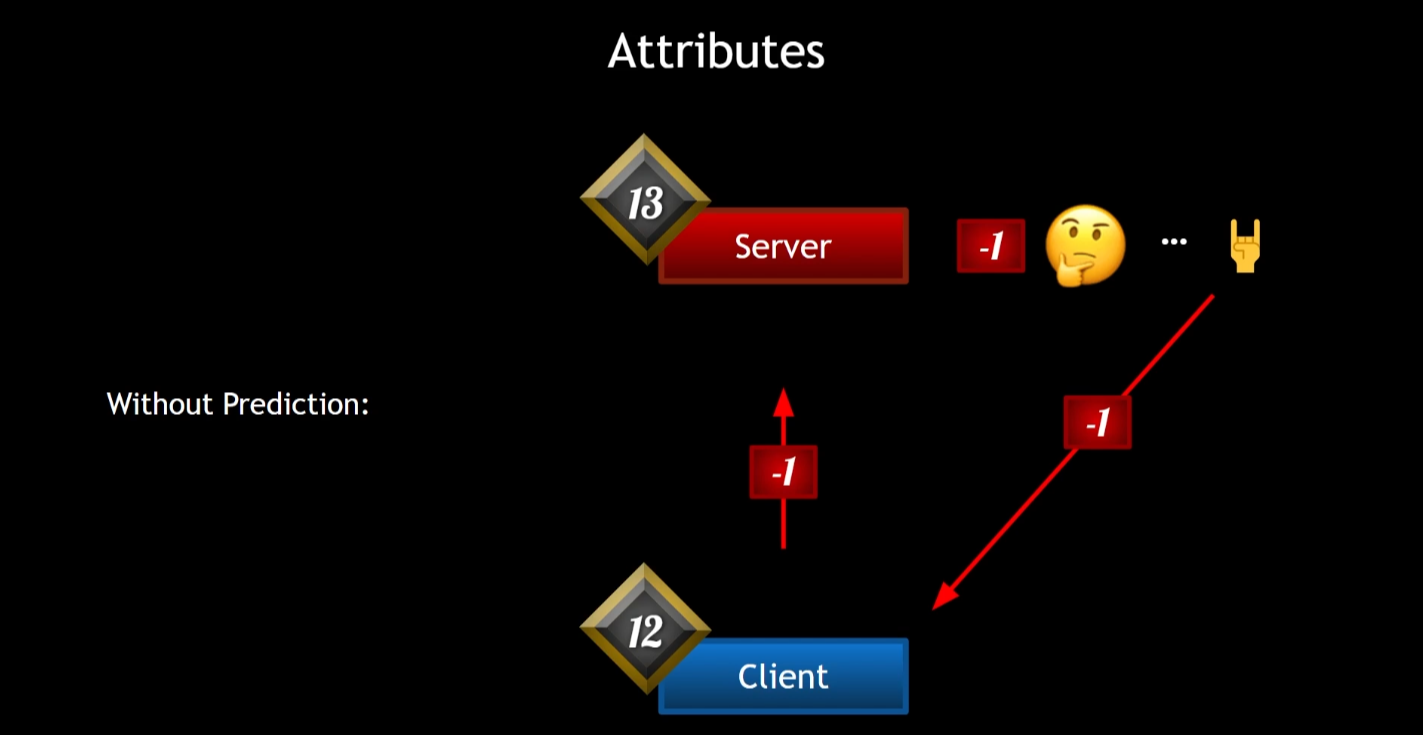
-
without prediction will bring long delay
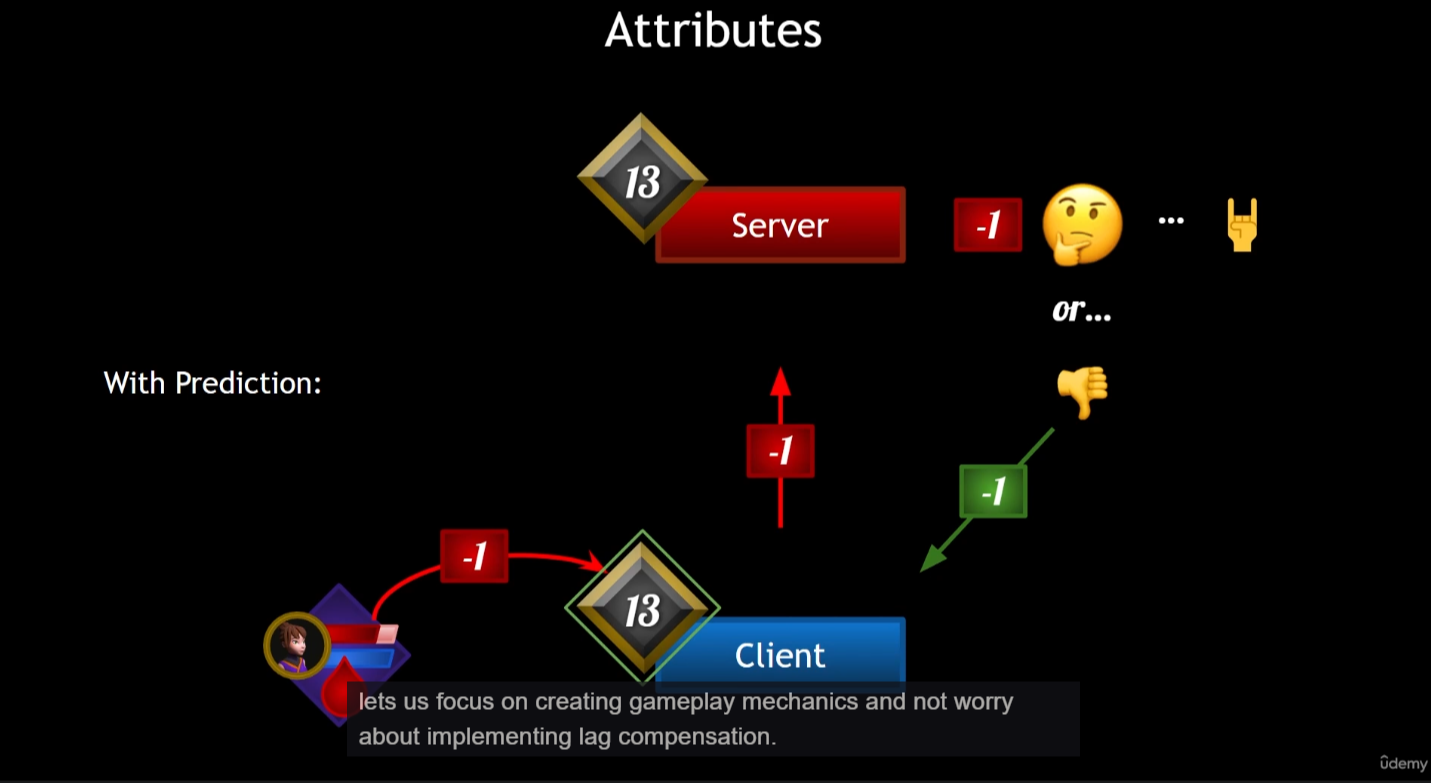
-
with prediction
- do not need to wait the validation result of server
- but server can reset the number if it is invalid
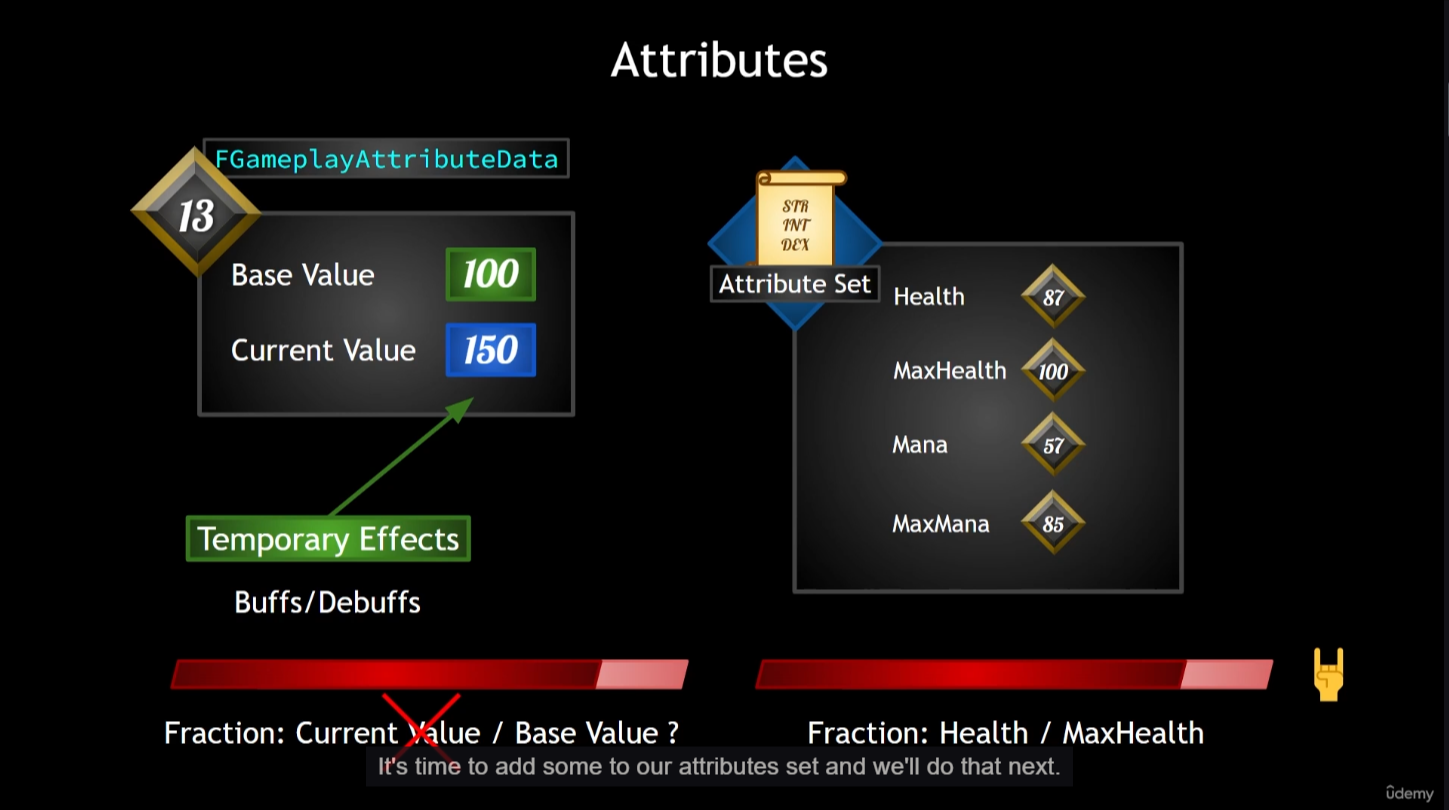
-
max value != base value
- to be a seperate attributeset
25 - Health and Mana
-
add attribute to attributeset
-
construct the attributeset
-
create health, make it replicated, blueprint read only,
- create OnRep_Health function, set OldHealth reference as parameter
- use the GAEMPLAYATTRIBUTE_REPNOTIFY
-
to make variable replicated, need to override a GetLifetimeReplicatedProps function
-
steps to add a new attribute (boilerplate)
- declare the variable, make it replicated,
- make it rep notify (create OnRep... function)
- implement with GAMEPLAYATTRIBUTE_REPNOTIFY
- add inside GetLifetimeReplicatedProps with DOREPLIFETIME_CONDITION_NOTIFY
- add live template in Rider to save some time
26 - Attribute Accessors
- usually we do not change attribute from code, but use gameplay effects
- but we could do it from code too
- add define of ATTRIBUTE_ACCESSORS
- check results in game with
showdebug abilitysystem
27 - Effect Actor
-
is not the best way to change attribute from code, the best way is to change with gameplay effect
-
create new cpp class
AuraEffectActor -
create sphere and static mesh
- set mesh as the root component
- attach sphere to mesh
-
following is create callback for delegate
-
create a public OnOverlap function
-
bind the OnOverlap function to sphere in BeginPlay
- as callback function
-
create a public OnEndOverlap fucntion
-
if an actor has derived IAbilitySystemInterface, then it should have AbilitySystemComponent
-
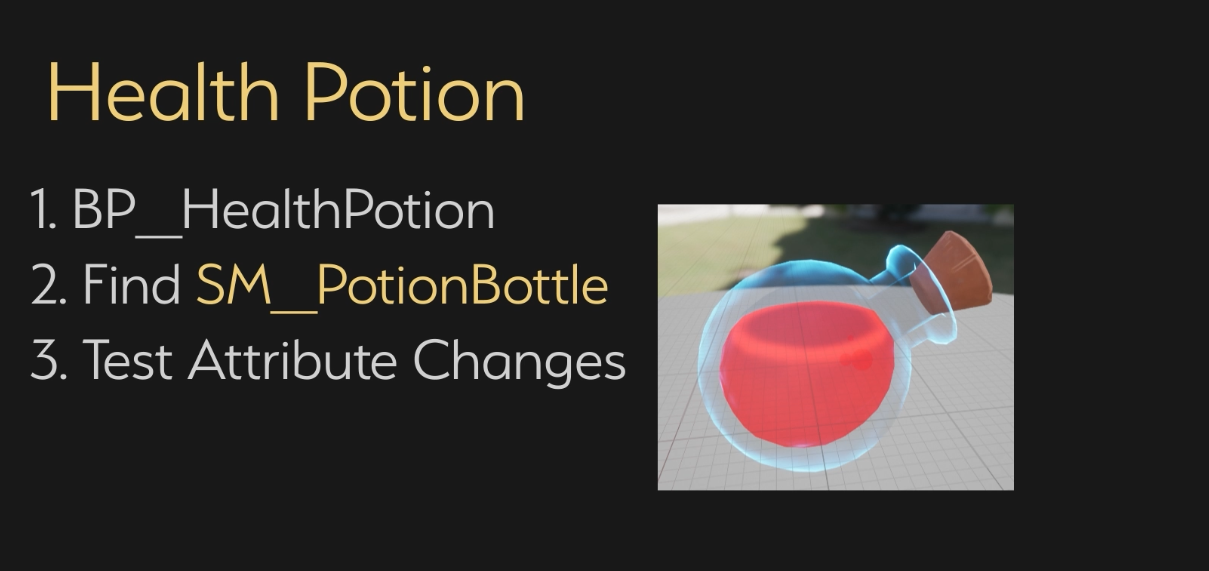
when overlap, + 25 HP
28 - Game UI Architecture
- UI
- View (display)
- Widget Controller (data process)
- Model (data)
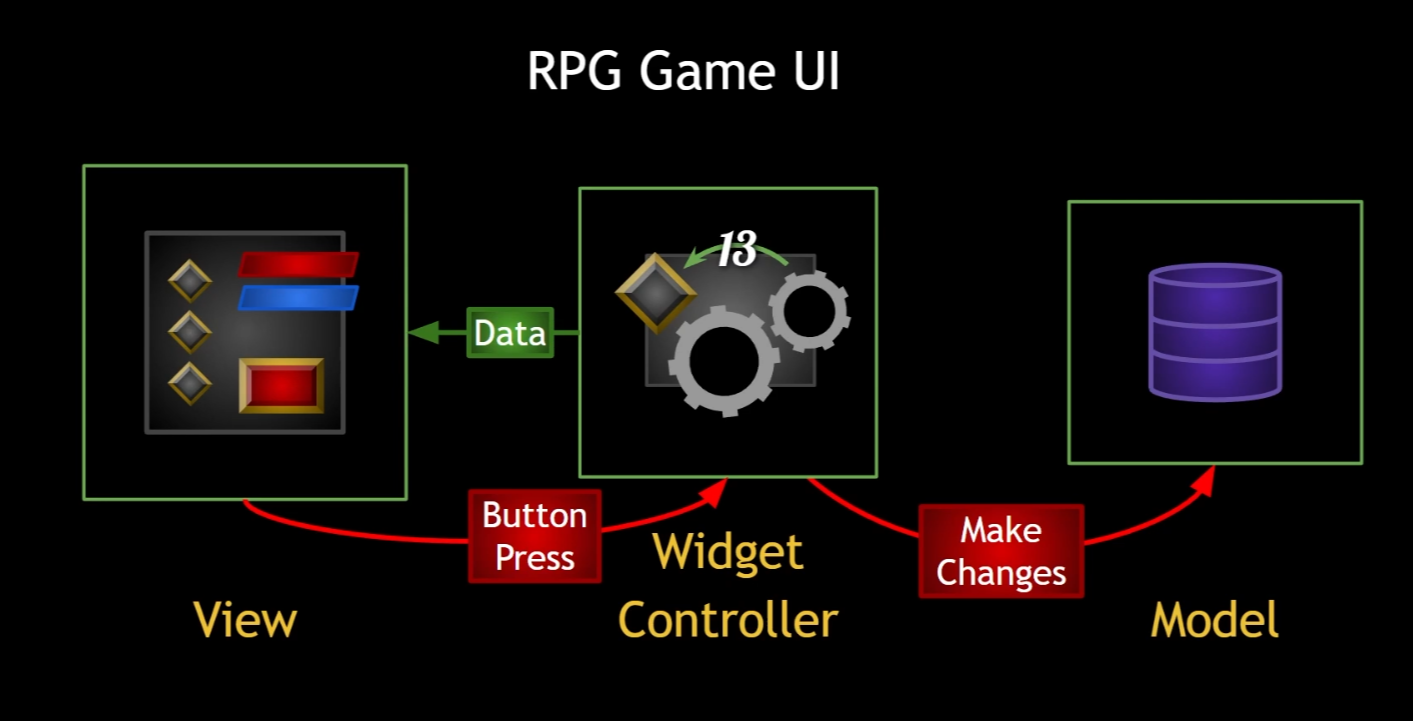
- these are decoupled
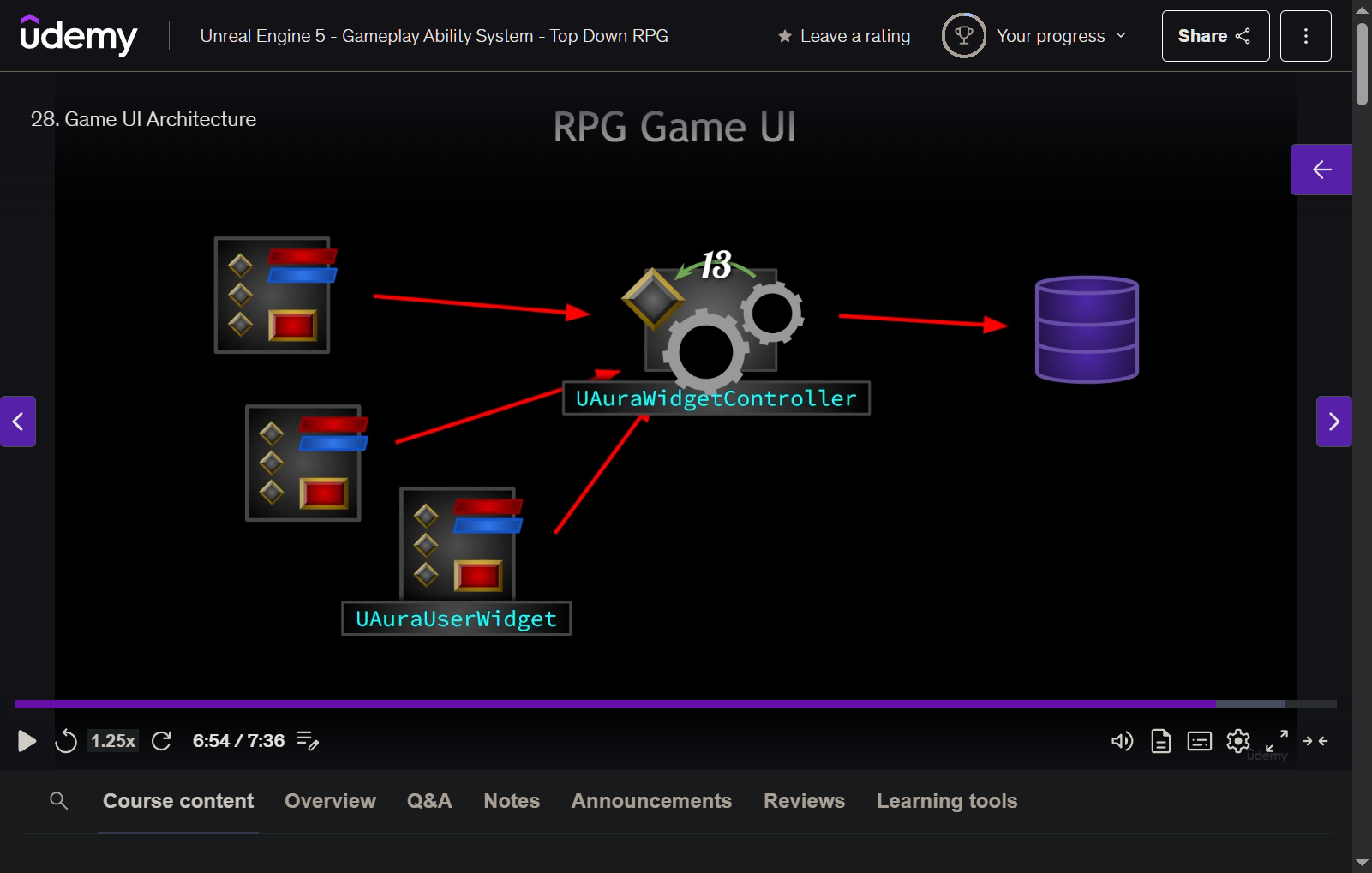
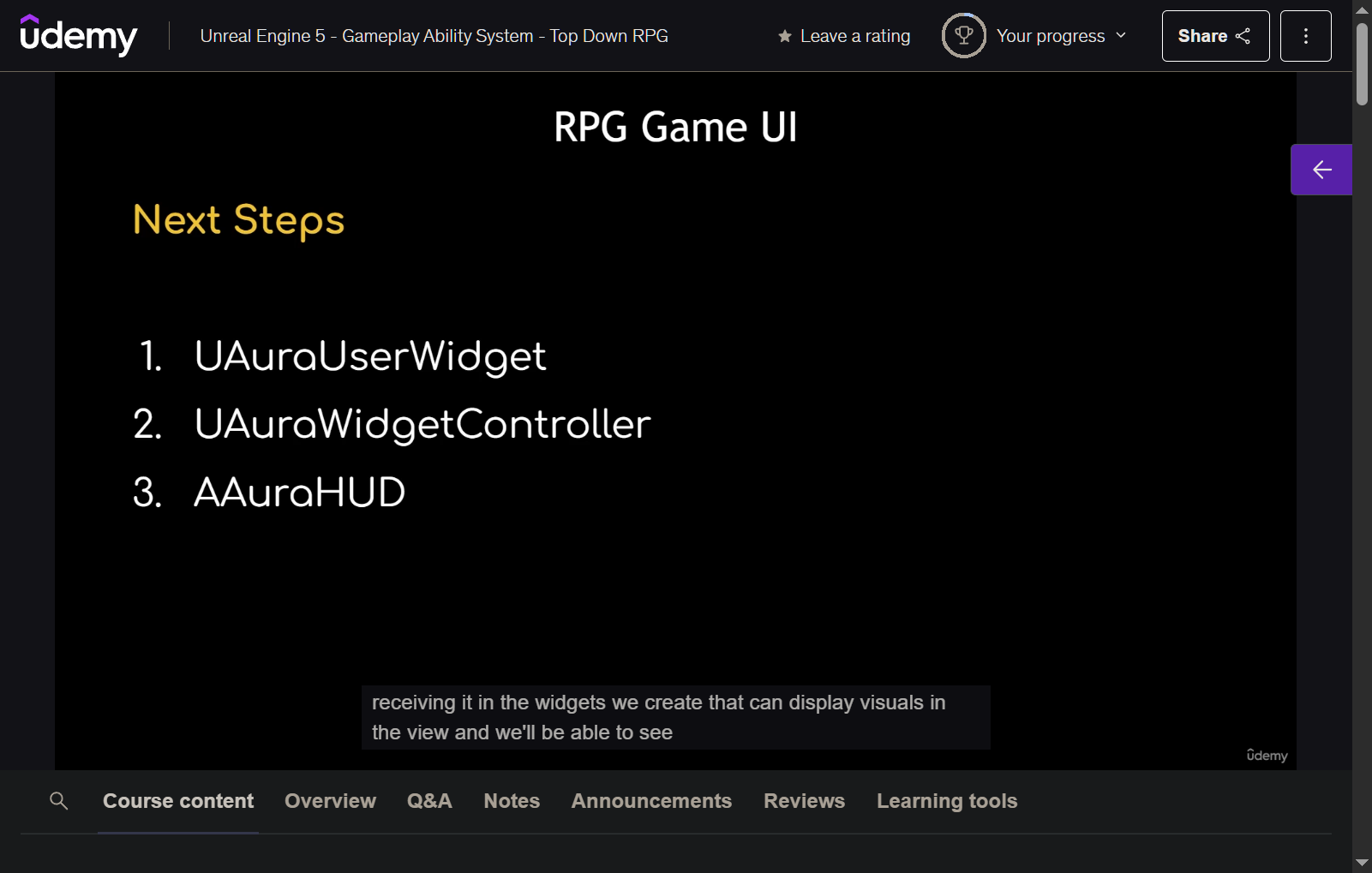
29 - Aura User Widget and Widget Controller
-
create new cpp class
- AuraUserWidget (UserWidget)
- AuraWidgetController (Object)
-
in AuraUserWidget
- public
- create controller variable
UFUNCTION(BlueprintCallable)SetWidgetController (UObject* InWidgetController)
- protected
- create WidgetControllerSet ()
UFUNCTION(BlueprintImplementableEvent)- will be called after WidgetController is set
- create WidgetControllerSet ()
- public
-
AuraWidgetController
- protected
- UPROPERTY (BlueprintReadOnly, Category = "WidgetController")
TObjectPtr<APlayerController> PlayerController - UPROPERTY (BlueprintReadOnly, Category = "WidgetController")
TObjectPtr<APlayerState> PlayerState - UPROPERTY (BlueprintReadOnly, Category = "WidgetController")
TObjectPtr<UAbilitySystemComponent> AbilitySystemComponent - UPROPERTY (BlueprintReadOnly, Category = "WidgetController")
TObjectPtr<UAttributeSet> AttributeSet
- UPROPERTY (BlueprintReadOnly, Category = "WidgetController")
- protected
30 - Globe Progress Bar
- create new bp
- WBP_GlobeProgressBar (AuraUserWidget )
- SizeBox_Root (make it variable)
- desired-
Overlay_Root
- Image_Background (is variable)
- fill vertically, horizontally - ProgressBar_Globe (is variable)
- fill vertically, horizontally
- backgroud image
- tint - transparent
- style - fill image
- MI_HealthGlobe
- draw as image
- Fill Color and Opacity = white
- bar fill type - bottom to top - Image_Glass (is variable)
- fill vertically, horizontally
- alpha = 0.5
- Image_Background (is variable)
-
create function
UpdateBoxSizeto override box width and box height- create float variable (Category - GlobeProperties)
- BoxWidth
- BoxHeight
- create float variable (Category - GlobeProperties)
-
create function
UpdateBackgroundBrushto set BackgroundBrush- create variable BackgroundBrush (Slate Brush)
-
create function
UpdateGlobeImage- create variable ProgressBarFillImage
-
create function
UpdateGlobePadding- create variable GlobePadding
-
create function
UpdateGlassBrush- create variable GlassBrush
-
create function
UpdateGlassPadding
-
- SizeBox_Root (make it variable)
- WBP_GlobeProgressBar (AuraUserWidget )
31 - Health Globe
-
create WBP_HealthGlobe
- show inherited variables
- update progressbarfillimage
-
create WBP_Overlay
- Canvas Panel
- WBP Health Globe
- anchor bottom center
- WBP Health Globe
- Canvas Panel
-
preview with level blueprint
-
do the same for WBP_ManaGlobe
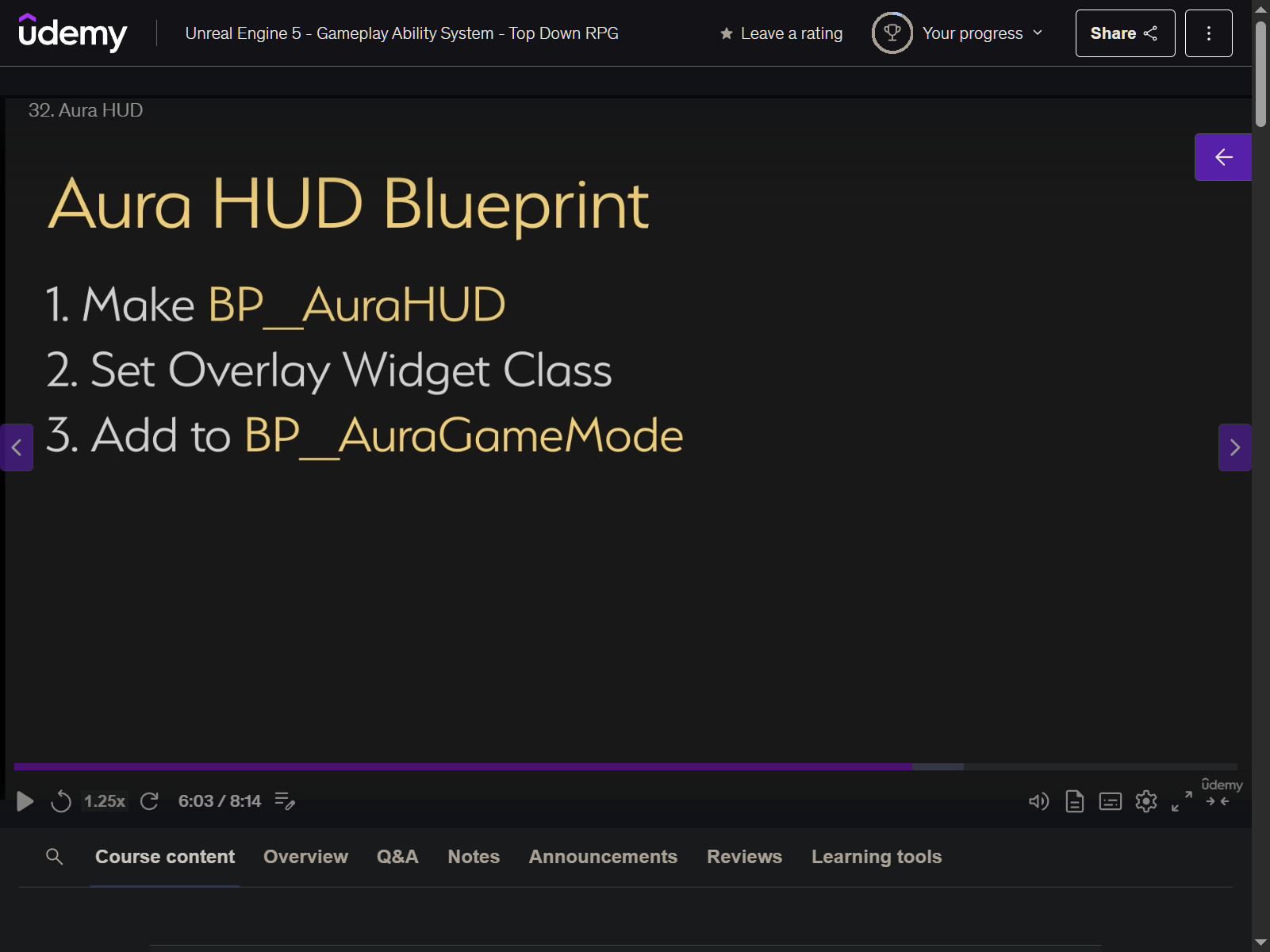
32 - Aura HUD
- remove those testing bp from level blueprint
- create AuraHUD cpp
- UAuraUserWidget - OverlayWidget
- UAuraUserWidget - OverlayWidgetClass
- override beginplay
- create widget and add to viewport
33 - Overlay Widget Controller
-
create struct FWidgetControllerParams
-
create public function SetWidgetControllerParams
-
CREATE OverlayWidgetController based on AuraWidgetController
-
create GetOverlayWidgetController function inside AuraHUD .h
-
create InitOverlay function inside AuraHUD .h